


Mastering Your Amazon FBM Account: A Comprehensive Guide for Sellers
Thinking about selling on Amazon but not sure about handing over all your inventory and shipping? Amazon FBM, or Fulfillment by Merchant, might be your answer. It’s basically you, the seller, taking charge of storing, packing, and shipping orders directly to your customers. This guide is all about getting your amazon fbm account set up and running smoothly, covering everything from the initial setup to making sure your customers are happy and your sales are climbing. We’ll break down the good and the not-so-good, and give you some solid tips to make your FBM journey a success.
Key Takeaways
Amazon FBM means you handle storing, packing, and shipping your own orders, giving you more control.
Setting up your amazon fbm account involves creating your seller profile and listing products carefully.
Managing your inventory and processing orders quickly and accurately is vital for FBM success.
Keeping an eye on sales data, ad spend, and your account health rating helps you stay on track.
Strategies like competitive pricing, smart inventory management, and optimizing shipping can boost your FBM sales.
Understanding the Allure of Amazon FBM
What Exactly Is Fulfillment By Merchant?
So, you’re thinking about selling on Amazon, but the whole FBA thing feels a bit like handing over the keys to your business. That’s where Fulfillment by Merchant, or FBM, swoops in. Simply put, FBM means you handle the storage, packing, and shipping of your products directly to the customer after they buy it on Amazon. No sending boxes off to some mysterious Amazon warehouse and hoping for the best. You’re in the driver’s seat for the entire fulfillment process. It’s like being the chef and the waiter for your own restaurant – you control the whole experience.
Why FBM Might Be Your Business’s Best Friend
Why would anyone choose to do all the shipping themselves when Amazon offers FBA? Well, for starters, control. With FBM, you keep your inventory close, meaning you can react faster to changes and avoid those surprise storage fees that can sneak up on you. Plus, you get to manage customer interactions directly, which can build some serious loyalty. It’s also a great option if you sell:
Oversized or heavy items that cost a fortune to ship to Amazon warehouses.
Products that require special handling or specific storage conditions.
Items with very low sales volume, where FBA fees might eat up all your profit.
Ultimately, FBM gives you the reins to manage your operations exactly how you see fit.
FBM is all about keeping things in-house. You’re responsible for everything from the moment a customer clicks ‘buy’ until that package lands on their doorstep. This direct involvement can be a huge plus for sellers who value hands-on management and a personal touch.
The Trade-Offs: Challenges and Benefits of FBM
Like most things in life, FBM isn’t all sunshine and roses. There are definitely some bumps in the road.
Benefits:
More Control: You decide how and when things get shipped. No surprises from Amazon changing their rules overnight.
Potentially Lower Fees: You avoid Amazon’s fulfillment and storage fees, which can be substantial.
Direct Customer Contact: Build relationships and handle issues yourself.
Inventory Flexibility: Keep your stock where you want it, not tied up in Amazon’s network.
Challenges:
Your Time is Money: You’re responsible for packing, shipping, and handling returns. This takes time and effort.
Shipping Costs: You need to figure out the most cost-effective shipping methods.
Customer Service Load: You handle all customer inquiries and issues related to shipping.
Less Prime Visibility: Unless you qualify for Seller-Fulfilled Prime (which is a whole other beast), your listings might not get the coveted Prime badge, potentially impacting visibility.
Setting Up Your Amazon FBM Account for Success

Alright, so you’ve decided to take the reins and handle your own shipping with Amazon FBM. Smart move if you like having control! Now, let’s get this FBM party started. It’s not rocket science, but it does require a bit of organization. Think of it like setting up your own little Amazon warehouse, but, you know, in your garage or spare room.
Creating Your Seller Central Account: The First Hurdle
First things first, you need an Amazon Seller Central account. If you don’t have one yet, head over to Amazon’s seller portal and sign up. During the signup process, you’ll be asked about your fulfillment method. This is where you’ll select “Fulfillment by Merchant” (FBM). This tells Amazon, “Yep, I got this! I’ll be the one packing and shipping these bad boys.”
It’s pretty straightforward, but make sure you have all your business details handy – tax information, bank account details, and contact info. They want to make sure you’re legit, which is fair enough. Once you’re in, you’ll see your dashboard, which is basically your command center for everything FBM.
Listing Your Treasures: Making Them Shine
Now for the fun part: getting your products listed. This is where you make your items look irresistible to shoppers. You’ll need:
High-quality photos: Seriously, don’t skimp here. Good pictures sell products. Think bright, clear, and show the item from multiple angles.
Detailed descriptions: Tell people what they’re buying. Include all the specs, features, and benefits. What makes your product special? Why should they click ‘Add to Cart’?
Keywords: Sprinkle in relevant keywords so shoppers can actually find your stuff when they search. Think like a buyer!
Remember, your listing is your virtual storefront. Make it welcoming and informative. You can even add videos if you’re feeling fancy. The better your listing, the more likely someone is to buy.
Inventory Management: The Art of Not Running Out (or Having Too Much)
This is where FBM can get a little spicy. You’re in charge of your inventory. That means keeping track of what you have, what’s selling, and what you need to reorder. Nobody likes a customer getting an order canceled because you ran out of stock. That’s a big no-no on Amazon.
Here’s a quick rundown:
Track everything: Use a spreadsheet, a dedicated inventory management app, or even just a really organized notebook. Just make sure you know your stock levels down to the last unit.
Set reorder points: Figure out when you need to order more stock based on your sales velocity. Don’t wait until you’re completely empty.
Avoid overstocking: Having too much inventory ties up your cash and takes up space. Try to find that sweet spot.
Keeping your inventory numbers accurate is super important. If you promise something you don’t have, Amazon notices, and it can hurt your seller standing. It’s better to be slightly conservative with your stock counts than to disappoint a customer. This is especially true when you’re just starting out and figuring out your sales pace.
Getting these basics right from the start will save you a lot of headaches down the road. It’s all about setting yourself up for smooth sailing, not a stormy sea of canceled orders and unhappy customers.
The Nitty-Gritty of FBM Order Fulfillment
Alright, so you’ve decided to go the Fulfillment by Merchant (FBM) route. This means you’re the boss of your own warehouse, the captain of your shipping crew, and the ultimate decision-maker when it comes to getting your products into your customers’ hands. It’s a big responsibility, but it also means you’ve got the reins. Let’s break down what this actually looks like day-to-day.
Confirming and Processing Incoming Orders: Showtime!
When an order pops up in your Seller Central account, it’s go-time. You’ll need a system to make sure you see these orders promptly. Ignoring them is a fast track to unhappy customers and a ding on your account health. Here’s the basic drill:
Check Your Orders Regularly: Don’t just peek once a day. Set up notifications or make it a habit to check multiple times. Amazon expects you to acknowledge orders quickly.
Verify Order Details: Double-check the shipping address and the items ordered. Mistakes here are costly and annoying for everyone involved.
Prepare for Packing: Gather your items, your packing materials, and your shipping labels. Efficiency is key, especially if you start getting a decent volume.
The speed at which you confirm and begin processing an order directly impacts customer satisfaction. A quick turnaround shows you’re on top of things, building trust and encouraging repeat business.
Shipping with Savvy: Balancing Speed and Savings
This is where FBM really lets you shine – or stumble. You get to choose how you ship, which is fantastic for controlling costs and delivery times. But with great power comes great responsibility (and the potential for shipping nightmares).
Choosing Your Carrier: USPS, UPS, FedEx, DHL – each has its pros and cons. Consider their pricing, reliability, and the speed you need. For smaller, lighter items, USPS is often a winner. For larger or time-sensitive packages, you might look elsewhere.
Packaging Matters: Use appropriate packaging to protect your items. A damaged product is a returned product, and nobody wants that. Plus, good packaging reflects well on your brand.
Tracking is Non-Negotiable: Always use a shipping service that provides tracking. Amazon requires it, and your customers expect it. It’s your proof of shipment and a way for customers to follow their package.
Finding the right balance between getting orders out fast and not spending a fortune on shipping can be tricky. It often involves comparing rates and services regularly. You might even explore third-party shipping software to help streamline this process and find better deals. For sellers looking to optimize their shipping, exploring options like ShipBob can be a smart move.
Handling Returns and Cancellations: The Unavoidable Dance
No matter how well you plan, returns and cancellations are part of selling online. With FBM, you’re in charge of managing these, which can be a bit of a headache but also an opportunity to impress.
Cancellations: If a customer cancels before you ship, it’s usually straightforward. Just cancel the order in Seller Central. If you’ve already shipped, you’ll need to treat it as a return.
Returns: Amazon has specific return policies you must follow. Generally, customers can return items within 30 days. You’ll need to authorize the return, provide a return shipping label (unless you have a specific reason not to), and process the refund once you receive the item back.
Customer Service: How you handle returns can make or break a customer relationship. Be polite, be prompt, and follow Amazon’s guidelines. A smooth return process can turn a potentially negative experience into a positive one, encouraging future purchases.
Managing returns efficiently is key to maintaining good standing with Amazon and keeping your customers happy. It requires clear communication and a well-defined process. Remember, while FBA handles returns for you, FBM puts that task squarely on your shoulders. This is part of the trade-off for greater control and potentially lower fees, a common theme when selling on Amazon.
Mastering Key Metrics for Your Amazon FBM Account
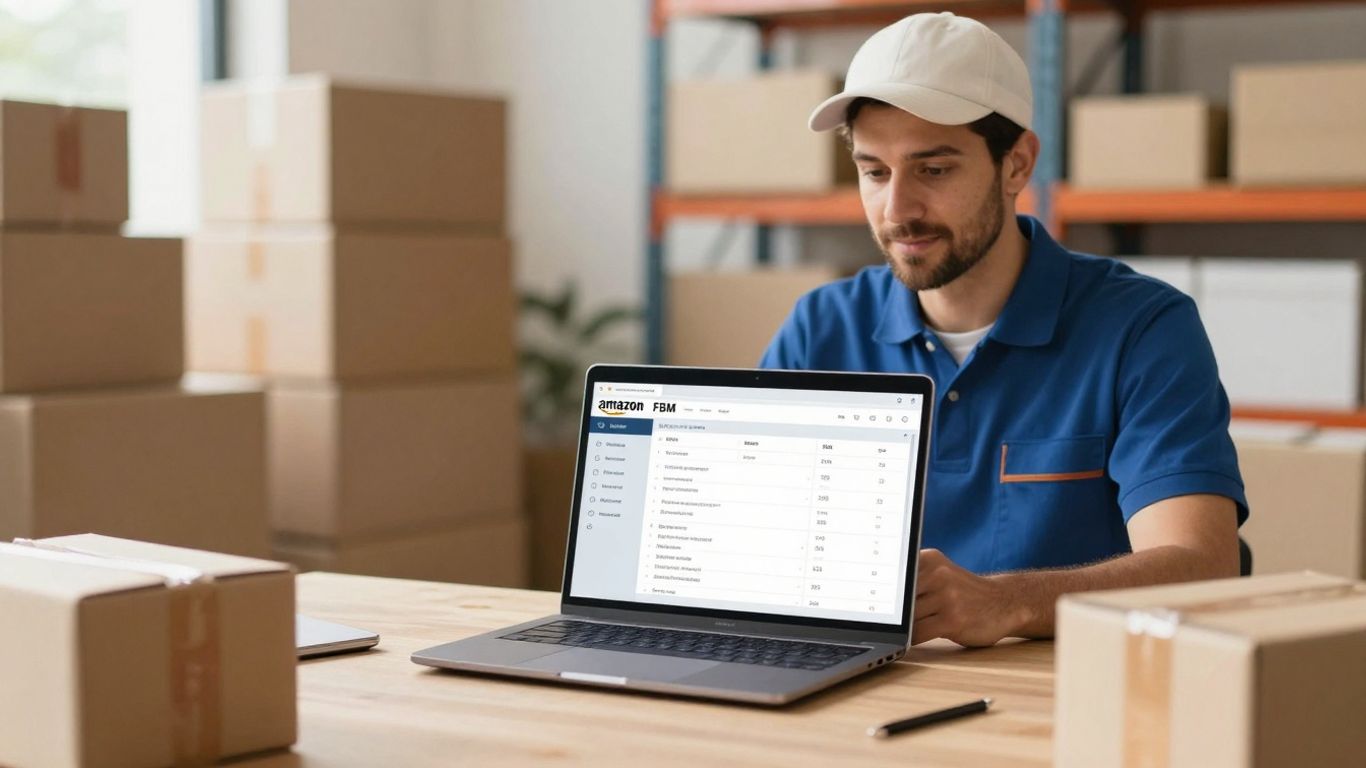
Alright, let’s talk numbers. You’ve got your FBM game plan, your listings are looking sharp, and orders are (hopefully) rolling in. But how do you know if you’re actually winning? It’s all about keeping an eye on the important stuff, the metrics that tell you what’s working and what’s just… well, costing you money. Think of these as your business’s vital signs. Ignoring them is like trying to drive with your eyes closed – not recommended.
Sales Data: The Pulse of Your Business
This is the big one, folks. Sales revenue is the most straightforward way to see if your business is chugging along or sputtering. You need to watch for steady growth, but also understand those dips and spikes. Why did sales suddenly jump last Tuesday? Was it that flash sale, or did a competitor run out of stock? Knowing this helps you repeat the good stuff and fix the not-so-good stuff. It’s not just about the total amount, but understanding the why behind it.
Track your total sales revenue regularly.
Identify trends: Are sales increasing, decreasing, or staying flat?
Analyze sales by product: Which items are your rockstars, and which are collecting digital dust?
Look at sales velocity: How quickly are your products selling?
Keeping a close watch on your sales figures isn’t just about bragging rights; it’s about making informed decisions. Without this data, you’re just guessing, and guessing rarely leads to profit.
Return On Ad Spend (ROAS): Making Your Marketing Dollars Work Harder
If you’re running ads on Amazon, you absolutely must know your ROAS. This metric tells you how much money you’re getting back for every dollar you spend on advertising. A high ROAS means your ads are doing their job and bringing in more money than they cost. A low ROAS? That means your ad budget is probably going down the drain. You can use this info to tweak your campaigns, put more money into the winners, and ditch the losers. It’s a smart way to make sure your marketing budget isn’t just burning a hole in your pocket. You can find tools to help you streamline your order management and improve overall efficiency, which can indirectly boost your ad performance.
Campaign Name | Ad Spend | Revenue Generated | ROAS |
|---|---|---|---|
Summer Sale | $500 | $2,500 | 5.0 |
New Arrivals | $300 | $900 | 3.0 |
Clearance | $100 | $150 | 1.5 |
Account Health Rating: Staying on Amazon’s Good Side
This one’s non-negotiable. Amazon has rules, and they want to make sure you’re playing by them. Your Account Health Rating is basically Amazon’s report card on your business. It covers things like how often you cancel orders before shipping (pre-fulfillment cancellation rate), how quickly you ship, and if you’re following all their listing and product policies. If this rating dips too low, Amazon can put your account on thin ice, or worse, deactivate it. So, keep an eye on that dashboard and fix any issues pronto. It’s better to be proactive than to have Amazon knock on your virtual door with bad news.
Pre-fulfillment Cancellation Rate: Aim to keep this below 2.5%. This means you’re not canceling orders after a customer buys them.
Order Defect Rate: This tracks issues like negative feedback, A-to-z Guarantee claims, and chargebacks. Keep it low!
Late Shipment Rate: Don’t make customers wait longer than expected. Ship on time!
Policy Violations: Stay updated on Amazon’s rules and avoid listing or selling restricted items.
Strategies to Supercharge Your FBM Sales

Alright, so you’ve got your Amazon FBM account humming along, but are you ready to turn up the volume on those sales? It’s not just about listing your stuff and hoping for the best. We need to get strategic, like a chess grandmaster, but with more products and fewer tiny horses. Let’s talk about how to really make your FBM sales sing.
Competitive Pricing: The Art of the Deal
Look, nobody wants to pay more than they have to, right? That’s just human nature. On Amazon, this means keeping a sharp eye on what your competitors are charging. It’s not enough to just glance; you need to really dig in. See what they’re doing with shipping, what condition their items are in, and how their prices change. This isn’t about being the absolute cheapest all the time, but about being smart. Being competitive means understanding the market, not just blindly slashing prices.
Here’s a quick rundown on how to stay sharp:
Market Research: Regularly check prices for similar items. What’s the going rate?
Competitor Analysis: Note any price fluctuations from rivals, especially during sales or holidays.
Value Proposition: Sometimes, you can charge a bit more if you offer something extra, like faster shipping or better packaging.
Don’t get caught in a race to the bottom. Understand your costs and your value, then price accordingly. Sometimes, a slightly higher price with excellent service wins.
Inventory Vigilance: Keeping Stock Levels Just Right
This is where FBM can feel like a juggling act. Too much stock, and you’re tying up cash and space. Too little, and you’re missing out on sales – and Amazon doesn’t love it when you can’t fulfill orders. Keeping track of what you have and what you’re likely to sell is key. Look at your past sales data. When did things fly off the shelves? When did they gather dust?
Sales Data Analysis: Use Amazon’s reports (or third-party tools) to spot trends. What sold well last month? Last year?
Demand Forecasting: Based on trends and upcoming events (like holidays), try to guess how much you’ll need.
Reorder Points: Set up alerts so you know when to order more before you run completely dry.
If you’re struggling to keep up with inventory tracking, consider looking into Amazon seller management services that can help streamline these processes.
Shipping Optimization: Faster, Cheaper, Better
This is your FBM superpower. Since you’re handling shipping, you have a chance to really shine. Customers expect things quickly, but they also don’t want to pay a fortune for it. Finding that sweet spot is the goal. Think about the carriers you use. Are you getting the best rates? Can you offer different shipping speeds at different price points? Sometimes, just packaging your items well and getting them out the door the same day can make a huge difference in customer happiness.
Carrier Comparison: Regularly compare rates and delivery times from different shipping companies.
Packaging Efficiency: Streamline your packing process to save time and materials.
Shipping Options: Offer a range of shipping speeds to cater to different customer needs and budgets.
Elevating Your FBM Game with Advanced Tactics
So, you’ve got the hang of the basics with your Amazon FBM account. You’re processing orders, shipping things out, and keeping an eye on your metrics. That’s great! But what if you want to go from ‘doing okay’ to ‘absolutely crushing it’? It’s time to move beyond the everyday and get into some more advanced strategies. Think of it as upgrading from a reliable sedan to a sports car – same destination, but way more fun and speed along the way.
Leveraging Data for Deeper Insights
Look, just glancing at your sales numbers isn’t enough anymore. You need to really dig into the data. What products are flying off the virtual shelves, and which ones are just gathering dust? Are there specific times of day or week when sales spike? Understanding these patterns helps you make smarter decisions about everything from what to stock to when to run a promotion. Don’t just look at what you sold; look at why you sold it. This kind of analysis can reveal hidden opportunities you might have otherwise missed. It’s like having a crystal ball for your business, but it’s made of spreadsheets.
Preparing for the Peaks: Seasonal Demand Strategies
Every seller knows that some times of the year are busier than others. Holidays, back-to-school season, even just a sudden heatwave can send demand for certain products through the roof. If you’re not prepared, you’ll miss out on sales, or worse, you’ll have unhappy customers waiting for products you don’t have. Planning ahead is key. This means:
Forecasting: Use past sales data and market trends to predict demand for upcoming seasons.
Inventory Buffers: Stock up on popular items before the rush hits, but don’t go overboard – you don’t want a warehouse full of last season’s must-haves.
Marketing Push: Align your advertising and promotions with seasonal events to capture customer attention when they’re most likely to buy.
Shipping Capacity: Make sure your shipping partners can handle the increased volume, or consider using a third-party logistics provider during busy periods.
Being ready for seasonal surges isn’t just about having enough stock; it’s about having the right stock, at the right time, and getting it to customers quickly and efficiently. It separates the pros from the amateurs.
Dynamic Repricing: Your Secret Weapon for Profit
Pricing is a constant balancing act, right? You want to be competitive, but you also need to make a profit. This is where dynamic repricing tools come in. These aren’t just simple price changers; they’re sophisticated systems that can automatically adjust your prices based on a whole bunch of factors. Think competitor pricing, your own inventory levels, sales velocity, and even market demand. Setting up a good repricing strategy can help you:
Stay Competitive: Automatically match or beat competitor prices to win the Buy Box.
Maximize Profit: Increase prices when demand is high or when competitors run out of stock.
Sell Faster: Lower prices strategically to move slow-moving inventory.
It takes some initial setup and careful monitoring, but once it’s dialed in, dynamic repricing can be a real game-changer for your Amazon FBM business. It frees up your time and helps ensure your products are always priced to sell and to profit. You can find tools that help with Amazon repricing strategies to get started.
Ready to take your Amazon selling to the next level? Dive into advanced strategies that can boost your sales and make your business stand out. Learn how to master the platform and attract more customers. Visit our website today to discover how we can help you succeed!
Wrapping It Up: Your FBM Journey
So, there you have it. We’ve gone through the ins and outs of running an Amazon FBM account, from getting your products listed just right to making sure your customers are happy campers. It’s definitely a bit more hands-on than some other options out there, but hey, that control can be a good thing, right? If you’re just starting out or have those unique items that FBA just doesn’t quite get, FBM might just be your ticket to Amazon success. Just remember to keep an eye on those metrics, stay sharp with your inventory, and don’t be afraid to get a little creative with your shipping. Happy selling!
Frequently Asked Questions
What does ‘Fulfillment by Merchant’ (FBM) actually mean on Amazon?
Fulfillment by Merchant, or FBM, means that you, the seller, are in charge of storing your products, packing them up when someone buys them, and shipping them directly to the customer. Amazon is like the storefront, but you handle all the behind-the-scenes work of getting the item to the buyer.
Why would a seller choose FBM instead of letting Amazon handle shipping (FBA)?
Many sellers pick FBM because they want more control over their products and how they’re shipped. It can sometimes be cheaper, especially for big or unusual items. Plus, you get to talk directly to your customers, which can help build a better relationship with them.
What are the main challenges of using FBM?
The biggest challenge is that you have to do all the work yourself! This means managing your own storage, packing orders carefully, and making sure you ship them out on time. It takes more effort and time compared to letting Amazon do it.
How do I set up my FBM account on Amazon?
First, you need to create an Amazon Seller account. When you sign up, you’ll choose ‘Fulfillment by Merchant’ as your shipping method. Then, you’ll list your products with good pictures and descriptions, and keep track of your inventory so you know what you have and what you need to ship.
What happens when I get an order with FBM?
When a customer buys from you, Amazon will let you know. You’ll then need to pick the item from wherever you’re storing it, pack it securely, and ship it out using a shipping service. Make sure to confirm the shipment on Amazon and add the tracking number so the customer can see where their order is.
Who handles returns and customer problems when I use FBM?
With FBM, you are responsible for handling returns and any customer questions or issues. You’ll need to have a good system for managing these requests and making sure your customers are happy, just like Amazon would.


