


Amazon conversion rate: Hidden Levers Most Sellers Ignore
Getting more sales on Amazon isn’t just about getting more people to see your product. It’s about getting them to buy it. Here are the main things to remember to help more visitors become customers.
Key Takeaways
- Focus on your highest-traffic products that aren’t selling well, as fixing them has the biggest impact.
- Make your product titles and bullet points about what the customer gains, not just what the product is.
- Use coupons and smart pricing to make customers feel like they’re getting a good deal, rather than just cutting prices.
- Make sure your product is always in stock, especially if it’s Prime-eligible, because running out kills sales momentum.
- Pay close attention to customer feedback and reviews to find out how to make your listing better and address worries.
Diagnosing Your Amazon Conversion Rate Leaks
Before you start tweaking product titles or swapping out images, you need to know where your sales funnel is actually falling apart. Optimizing your Amazon conversion rate isn’t about guessing; it’s about digging into your performance data to find the specific products that are costing you money. If you’re only looking at your overall conversion rate, you’re basically flying blind. That single number won’t tell you which products are underperforming. You need to look at each product individually to see which ones are driving sales and which ones are just sitting there, taking up space and budget.
Understanding Unit Session Percentage
The "Unit Session Percentage" is Amazon’s way of saying conversion rate. It tells you how many units of a product were sold for every 100 times a customer viewed its page. Think of it as your listing’s health score. A low Unit Session Percentage means that even though people are finding your product page, they aren’t buying it. This is your first clue that something on the product page itself might be wrong.
Prioritizing High-Traffic, Low-Conversion ASINs
Your Amazon Business Reports are your best friend here. Look for products that get a lot of traffic (sessions) but have a low Unit Session Percentage. These are your biggest "leaky buckets." They’re costing you money because you’re spending on ads or other efforts to get people to the page, but those visitors aren’t turning into customers. Fixing these ASINs often gives you the quickest wins and the biggest boost to your overall sales.
Here’s a quick look at what to focus on:
- High Sessions, Low Conversion: These ASINs are getting eyeballs but not sales. They represent the biggest opportunity for improvement.
- Low Sessions, High Conversion: These products are doing well with the traffic they get. They might need more visibility, but the listing itself is likely strong.
- Low Sessions, Low Conversion: These products might be niche or have other issues. They’re less of an immediate priority for conversion fixes.
Leveraging Business Reports for Insights
Amazon’s Business Reports give you a clear view of your sales and traffic data. The "Detail Page Sales and Traffic By Parent Item" report is particularly useful. It breaks down performance for each of your products (or parent ASINs). By regularly checking this report, you can spot trends, identify underperformers, and see which products are your star performers. This data-driven approach is key to making smart decisions about where to focus your optimization efforts.
Don’t just look at the overall numbers. Digging into individual ASIN performance is where you’ll find the hidden problems and the biggest opportunities for growth. It’s about fixing the leaks before you try to pour more water in.
Optimizing Listing Elements for Maximum Conversion

Think of your Amazon listing like a digital storefront. If the sign is confusing, the window display is messy, and the product inside is hard to find, people aren’t going to buy. That’s what happens when your listing elements aren’t working together. Getting these right is often the easiest way to turn more browsers into buyers without spending more on ads.
Crafting Benefit-Driven Bullet Points
Your bullet points are prime real estate. Don’t just list features; explain what those features do for the customer. People buy solutions and benefits, not just specs. Use all five bullet points Amazon gives you. Start each one with a strong word or phrase, maybe in all caps, to grab attention. For example, instead of "Stainless steel construction," try "DURABLE STAINLESS STEEL: Built to last through years of daily use." Translate every feature into a tangible outcome. What problem does it solve? How does it make their life easier or better? Address potential worries a buyer might have right here. This is where you connect your product to their needs.
Enhancing Product Titles for Mobile and SEO
Your product title is the first thing most shoppers see, especially on their phones. It needs to be clear, keyword-rich, and easy to read. Front-load the most important information – brand, product type, and a key benefit – within the first 80-100 characters. This is what usually shows up in search results. Make sure your main keyword is in there naturally. Avoid stuffing it with too many keywords, as Amazon can penalize that, and it just looks spammy to customers. Always check how your title looks on a mobile device; it’s where most shopping happens these days.
The Impact of A+ Content on Conversion Rates
A+ Content, or Enhanced Brand Content, lets you go beyond basic text and images. You can add more detailed descriptions, comparison charts, and lifestyle images. This helps customers visualize the product better and understand its value. It builds trust and can answer questions before they’re even asked. Think of it as a digital brochure that really sells the product’s benefits and unique selling points. For brands, it’s a way to tell a more complete story and stand out from competitors who only have basic listings. It can make a big difference in convincing hesitant buyers.
Here’s a quick look at how different listing elements can affect your conversion rate:
| Listing Element | Impact on Conversion | Notes |
|---|---|---|
| Main Image Quality | High | Grabs attention in search results; sets the first impression. |
| Title Clarity & Keywords | Medium | Helps customers understand what the product is and improves search visibility. |
| Bullet Point Benefits | Medium | Addresses customer needs and highlights product advantages directly. |
| A+ Content | Medium to High | Provides richer product information and builds buyer confidence. |
The Strategic Role of Pricing and Promotions
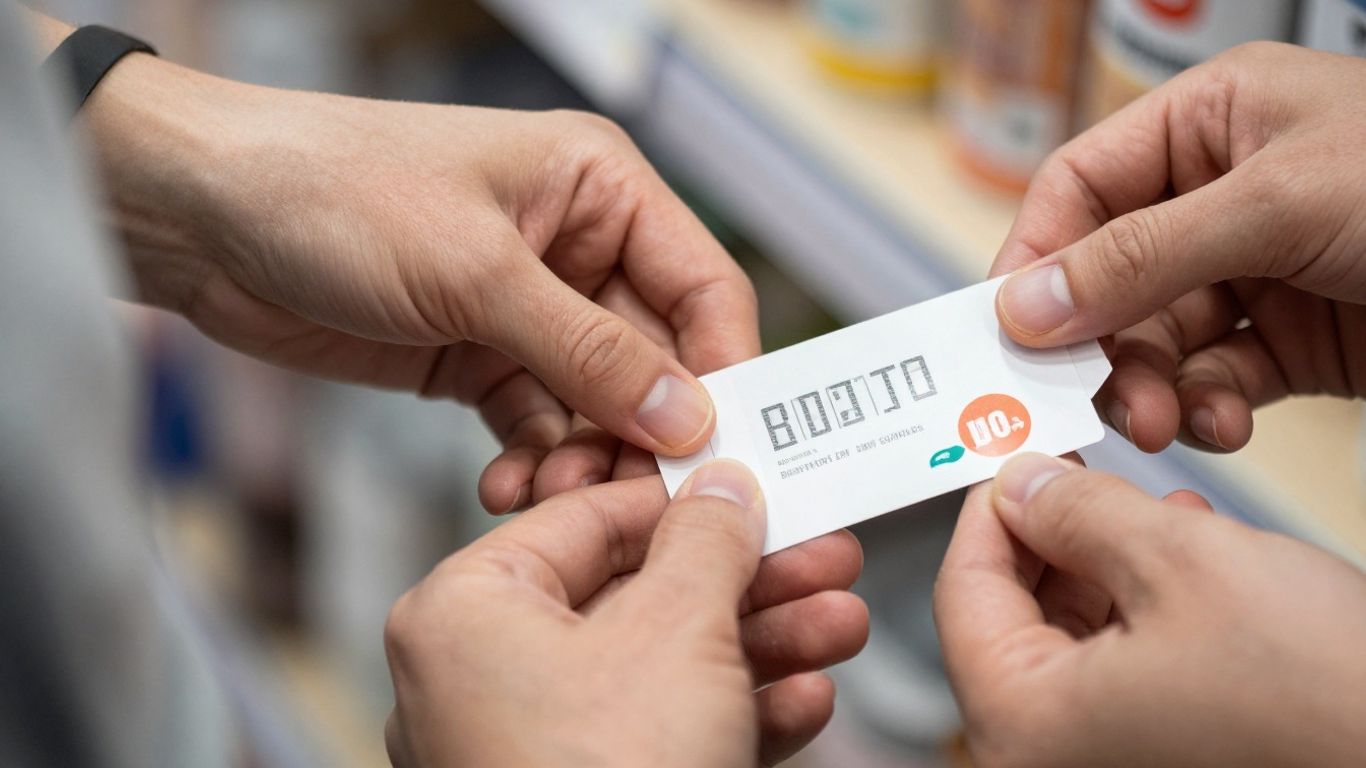
Pricing and promotions can feel like a tricky game on Amazon. It’s easy to think that just slashing prices will bring in more sales, but honestly, that’s usually not the best move. It often just eats into your profits without really making a big difference in the long run. Instead, we need to think about how customers perceive the value of what we’re selling.
Moving Beyond Price Cuts to Perceived Value
Think about it: that little coupon icon next to your product in the search results? It’s like a magnet. It grabs attention and can make people click. Sometimes, a small, limited-time coupon can actually work better than a permanent price drop. It creates a sense of urgency. We’re not just talking about the number on the tag; we’re talking about how the customer feels about the deal they’re getting.
Understanding Price Elasticity and Conversion
Price elasticity is basically how much demand for your product changes when you change the price. It’s not a fixed thing; it changes based on your product, your competition, and even what else is going on in the market. When you adjust prices, you have to consider how it will affect your conversion rate. If you lower the price too much, you might get more sales, but if your conversion rate drops because people don’t see the value anymore, you’ve just traded one problem for another. It’s a balancing act.
Leveraging Coupons for Urgency and Clicks
Coupons are a fantastic tool because they’re visible and create a reason to buy now. They can significantly boost your click-through rate from the search pages and also encourage conversions once a shopper is on your product page. A well-placed coupon can make a customer feel like they’re getting a special deal, which is a powerful motivator. It’s a way to stand out without necessarily having the lowest price all the time.
When you’re the top dog in your category, with strong rankings and good reviews, you actually have more power than you might think. Customers already trust you. A small price increase, like 5-10%, might not scare them away at all. They’ve already decided you’re the one they want, even if a competitor is a little cheaper. You’ve earned that pricing power, and testing it is low-risk because you can always change it back.
Here’s a simple way to think about testing price changes:
- Start Small: Increase your price by a modest amount, maybe 5% to 10%. Don’t make a huge jump right away.
- Watch Closely: For about two weeks, keep an eye on your sales rank, conversion rate, and keyword rankings. See how the market reacts.
- Adjust if Stable: If everything looks good – your rank is holding, conversions are steady – you can try another small increase and repeat the monitoring process. This helps you find the highest price customers are willing to pay.
Leveraging Data for Conversion Rate Improvement
Look, Amazon is a data-driven marketplace. If you’re not paying attention to the numbers, you’re basically flying blind. Your conversion rate (CVR) is one of the most important metrics because it tells you how well your product page is actually turning shoppers into buyers. It’s not just about getting people to your listing; it’s about convincing them to click that ‘Buy Now’ button. When your CVR is good, Amazon’s algorithm notices. This can mean better visibility, lower ad costs, and ultimately, more sales. It’s a cycle that feeds itself.
Analyzing Search Query Performance Data
Your Search Query Performance (SQP) reports are a treasure trove of information. They show you exactly what terms customers are typing into Amazon to find products like yours. This isn’t just about finding keywords for your ads; it’s about understanding customer intent. Are people looking for specific features? Are they asking questions in their search queries? By understanding the language your customers use, you can tailor your listing content to match their needs precisely.
Here’s how to use SQP data:
- Identify High-Intent Keywords: Look for search terms that are specific and clearly indicate a buyer is ready to purchase. These are gold.
- Spot Gaps in Your Listing: If customers are searching for something your product offers, but it’s not mentioned on your page, that’s a missed opportunity. Add it to your title, bullet points, or description.
- Understand Customer Pain Points: Sometimes, search queries reveal problems customers are trying to solve. Address these directly in your listing copy.
For example, if you sell raincoats and see searches like "lightweight waterproof jacket for hiking," you know to emphasize both ‘lightweight’ and ‘waterproof’ and mention ‘hiking’ in your listing.
Aligning PPC Campaigns with Conversion Goals
Your Pay-Per-Click (PPC) campaigns and your listing’s conversion rate are deeply connected. If your listing converts poorly, you’re essentially wasting money on ads because clicks aren’t turning into sales. The goal is to drive qualified traffic – shoppers who are likely to buy.
Think of it this way:
- High CVR = Lower Ad Costs: When your listing converts well, Amazon sees it as relevant. This often leads to lower Cost Per Click (CPC) and better ad placements.
- Low CVR = Wasted Ad Spend: If your page isn’t convincing, those ad clicks are just costing you money without bringing in revenue.
Use your PPC Search Term reports to find out which keywords are actually driving sales, not just clicks. If a keyword is getting a lot of impressions and clicks but no sales, it might be time to pause it or add it as a negative keyword. Conversely, if a specific search term is leading to purchases, make sure that term is prominent in your listing content.
The real power comes when your PPC strategy informs your listing optimization, and your optimized listing makes your PPC campaigns more effective. It’s a feedback loop that drives profitable growth.
Using Negative Feedback for Listing Enhancements
Customer reviews, especially the negative ones, can be incredibly insightful. While it stings to read criticism, it’s a direct line to understanding what’s not working on your product page or with your product itself. Negative feedback often highlights specific issues that are preventing conversions.
Here’s how to turn that feedback into action:
- Categorize Complaints: Group similar negative comments. Are multiple customers complaining about the size being too small? Is the material not what they expected? Is assembly difficult?
- Address Misleading Information: If customers are consistently surprised by something, it means your listing isn’t setting the right expectations. Update your images, descriptions, and bullet points to be clearer.
- Improve Product Quality (If Applicable): Sometimes, the feedback points to a genuine product flaw. While this is beyond listing optimization, it’s critical for long-term success and preventing future negative reviews.
For instance, if several reviews mention that the "color looked different online," you need to update your product photos to be more color-accurate or add a note about potential color variations. This simple change can prevent future buyers from being disappointed and improve your conversion rate.
The Influence of Fulfillment and Inventory
When you’re trying to get more sales on Amazon, it’s easy to get caught up in the details of your listing – the words, the pictures, the price. But what happens after someone clicks ‘Add to Cart’ is just as important, if not more so. How you handle fulfillment and how well you manage your stock can seriously mess with your conversion rates, often in ways sellers don’t even think about.
The Prime Effect on Buyer Behavior
Let’s face it, Amazon has trained shoppers to expect fast, free shipping. That little ‘Prime’ badge is a powerful signal. Listings with Prime eligibility consistently get more clicks and, more importantly, convert better. If your products aren’t Prime-eligible, you’re likely leaving a lot of potential sales on the table. It’s not just about speed; it’s about buyer trust and convenience. For many shoppers, Prime is practically a default setting for where they’ll buy.
Protecting Conversion Momentum with Stock Management
Imagine a customer finds your amazing product, adds it to their cart, and is ready to buy. Then, they see "Currently unavailable." Boom. That sale is gone. Worse, if a product goes out of stock frequently, Amazon’s algorithm can penalize your listing. It might drop in search rankings or even lose its Buy Box eligibility. Keeping your inventory levels healthy is absolutely critical to maintaining the sales momentum you’ve worked so hard to build. Running out of stock isn’t just a missed sale; it’s a hit to your listing’s visibility and overall conversion potential.
Here’s a quick look at why stockouts hurt:
- Lost Sales: The most obvious impact. No product means no sale.
- Rank Drop: Amazon may lower your listing’s position in search results.
- Buy Box Loss: You might lose the chance to win the Buy Box, even if you have stock.
- Customer Dissatisfaction: Buyers get frustrated when they can’t get what they want.
FBA as a Conversion Decision
For many sellers, Fulfillment by Amazon (FBA) isn’t just a logistical choice; it’s a strategic decision that directly impacts conversion. When you use FBA, your products automatically become Prime-eligible. This gives you access to that coveted Prime badge, which, as we’ve discussed, significantly boosts buyer confidence and conversion rates. Beyond the badge, FBA handles customer service and returns for those orders, which can also lead to better seller metrics and fewer headaches. While there are costs associated with FBA, the potential lift in conversion rates and sales volume often makes it a worthwhile investment for many product types. It simplifies the fulfillment process and aligns your offerings with Amazon’s core customer expectations.
Advanced Strategies for Market Leaders

So, you’ve made it to the top. Your product is a bestseller, you’re ranking high for your main keywords, and your PPC campaigns are dialed in. You’ve even expanded your product variations and launched in other countries. What’s next when you’re already a market leader? Most sellers start looking for the next big thing or try to squeeze out tiny improvements. But there’s a smarter way to boost your profits that many overlook: adjusting your price strategically.
When Strategic Price Increases Make Sense
This isn’t about randomly jacking up prices. It’s for when you’ve truly maximized other growth areas. Think about it: if your product is already the go-to choice for shoppers, a small price increase often won’t scare them away. They’ve already decided you’re the best option, even at your current price. A modest price hike can significantly increase your profit per unit without needing more ad spend or inventory.
Here’s a simple way to think about it:
- Current Scenario: Product Price: $40, Costs (COGS + Fees): $26, Profit per Unit: $14
- Scenario with 15% Price Increase: New Price: $46, New Costs: $27, New Profit per Unit: $19
That’s a 36% jump in profit per unit, just by changing one number. It’s a low-risk way to test your pricing power when you’ve earned it.
Optimizing Variations for Pooled Velocity
If you sell your product in different sizes, colors, or pack counts, make sure they’re all on the same listing. This is super important. When you combine all these variations under one ASIN, you’re pooling all your sales and reviews. This creates a stronger social proof signal for every single option, making the whole product line more attractive to buyers and boosting its overall ranking.
Creating Value with Strategic Bundling
Think about bundling complementary products together. For example, if you sell a popular coffee maker, consider bundling it with your best-selling coffee beans. This not only increases the average order value but also introduces customers to other items in your catalog they might not have found otherwise. Amazon’s Virtual Product Bundle tool makes this pretty straightforward to set up.
The real game for top sellers isn’t just about getting more sales; it’s about getting more profit from the sales you already have. When you’re at the top of your category, you have pricing power. Testing small, strategic price increases is a high-reward, low-risk way to see how much more profit you can capture. If you haven’t tested your pricing recently, you’re likely leaving money on the table.
Want to stay ahead of the competition? Our "Advanced Strategies for Market Leaders" section dives deep into how top companies dominate their fields. Discover game-changing tactics and learn how to apply them to your business. Ready to lead? Visit our website today to unlock your full potential!
Conclusion
So, improving your Amazon conversion rate isn’t about one magic trick. It’s a mix of understanding your numbers, making your product pages shine, pricing smartly, and keeping your stock ready. Think of it like fixing a leaky faucet – you need to find all the drips and fix them. By paying attention to these often-ignored parts, you can stop wasting money on traffic that doesn’t buy and start seeing more sales. It takes work, sure, but the payoff is a healthier, more profitable Amazon business. Don’t just chase traffic; make sure the traffic you get actually buys something.
Frequently Asked Questions
What’s a good conversion rate on Amazon?
It really depends on what you’re selling. For many items, aiming for 10-15% is a good goal. Some simple, cheap items might get over 20%, while pricier things might be happy with 3-5%. The most important thing is to do better than your competitors for the same products.
Why is my Amazon conversion rate low?
There are many reasons! Maybe your product pictures aren’t great, your title doesn’t grab attention, or the price is too high. It could also be that your product description doesn’t explain why someone should buy it. Running out of stock also hurts your conversion rate a lot.
How do I improve my Amazon conversion rate?
Start by looking at your best-selling products that aren’t converting well. Make your titles and bullet points more about customer benefits. Use better photos and consider A+ Content if you can. Also, check your pricing and consider using coupons.
Does A+ Content really help my conversion rate?
Yes, it usually does. A+ Content lets you add more images and better text to your product page. This helps customers understand your product better and can make them more likely to buy. Many sellers see a nice boost in sales from using it.
How important is having my product be ‘Prime’ eligible?
It’s super important! Products that are Prime-eligible get bought much more often. Customers trust Prime and like the fast shipping. If your product isn’t Prime, you’re likely missing out on a lot of sales compared to similar items that are.
Should I lower my price to get more sales?
Lowering your price isn’t always the best move. It can hurt your profits. Instead, think about making your product seem more valuable. Sometimes, a small coupon can get more attention and sales than a big price cut. Focus on the total value you offer.


