Mastering Your Amazon FBM Account: A 2026 Guide
So, you’re looking to get a better handle on your Amazon FBM account. It’s a big deal, really. While many sellers just stick with FBA, there’s a whole world of control and potential profit waiting if you manage your own fulfillment. This guide is all about making your amazon fbm account work for you in 2026. We’ll break down how to set it up right, run your operations smoothly, handle shipping and returns like a pro, and make sure your pricing actually makes sense. It’s not always easy, but getting it right can seriously boost your business.
Key Takeaways
- Amazon FBM gives you full control over your inventory and shipping, unlike FBA.
- Managing your own fulfillment can lead to better profit margins and a stronger business.
- Setting up your shipping templates correctly is vital for customer satisfaction and Amazon eligibility.
- Streamlining your fulfillment operations with clear procedures and tools is key to avoiding errors.
- Understanding all your costs, from shipping to labor, is necessary to price your products profitably.
Decoding Your Amazon FBM Account: The Profit Powerhouse
Alright, let’s talk about FBM, or Fulfillment by Merchant. If you’re selling on Amazon and haven’t really dug into FBM, you might be leaving money on the table. Think of it like this: FBA is like letting someone else drive your car, and you just hope they get you where you want to go. FBM? That’s you, behind the wheel, with the GPS set to maximum profit. It’s about taking back the reins of your operation and, frankly, making your EBITDA happier.
Understanding the FBM Advantage for EBITDA Growth
So, why all the fuss about EBITDA? It’s basically a measure of your business’s profitability before you factor in interest, taxes, depreciation, and amortization. For sellers, especially those looking to grow or even sell their business down the line, a higher EBITDA is a really good thing. FBM can directly boost this. How? By giving you control over costs that FBA often inflates. We’re talking about things like oversized item fees, storage fees that can sneak up on you, and general fulfillment costs that Amazon passes on. When you handle fulfillment yourself, you can often do it cheaper, especially if you’ve got smart processes in place. A furniture seller we know ditched FBA for their big items and saved $40,000 a month in fees. Their EBITDA shot up 23% in just one quarter. That’s not pocket change.
Why FBM Matters More Than You Think
Many sellers default to FBA because, well, it’s easy. Amazon handles the heavy lifting. But “easy” often comes with a price tag. With FBM, you’re the boss of your inventory, your packaging, your shipping carriers, and even your customer service. This level of control means you can tailor your fulfillment to your specific products. Got fragile items? You can pack them with extra care. Selling custom-made goods? You can ensure they’re handled perfectly. It’s also a great option if you have seasonal inventory or products that just don’t fit neatly into Amazon’s FBA boxes. Plus, you can often qualify for the Prime badge with Seller Fulfilled Prime (SFP), giving you the best of both worlds – Prime visibility and your own fulfillment.
Here’s a quick look at how the models stack up:
| Model | Logistics Control | Prime Badge | Best For |
|---|---|---|---|
| FBM | Full seller control | SFP qualification required | Large/fragile items, custom packaging |
| FBA | Amazon handles all | Automatic | Standard size, high-velocity SKUs |
| SFP | Seller ships, Prime badge | Earned through performance | Fast fulfillment with Prime benefits |
The Merchant Fulfilled Network: A Familiar Friend
Sometimes you’ll hear FBM referred to as the Merchant Fulfilled Network (MFN). Don’t let the different names confuse you; they’re essentially the same thing. It’s the original way of selling on Amazon where you, the merchant, handle all the fulfillment yourself. It’s a familiar concept because, at its core, it’s just good old-fashioned retail. You stock it, you pack it, you ship it. The “network” part just means you’re doing this within Amazon’s massive marketplace. It’s a system that rewards operational efficiency and smart logistics. If you’re already running a tight ship with your own warehouse or a third-party logistics (3PL) provider, FBM is likely a natural fit and a way to significantly improve your profit margins.
When you choose FBM, you’re not just choosing a fulfillment method; you’re choosing a business strategy. It’s about building a more resilient, profitable, and controlled operation that isn’t solely dependent on Amazon’s ever-changing policies and fee structures. This control is where the real profit power lies.
Setting Up Your Amazon FBM Account: A Seller’s Blueprint
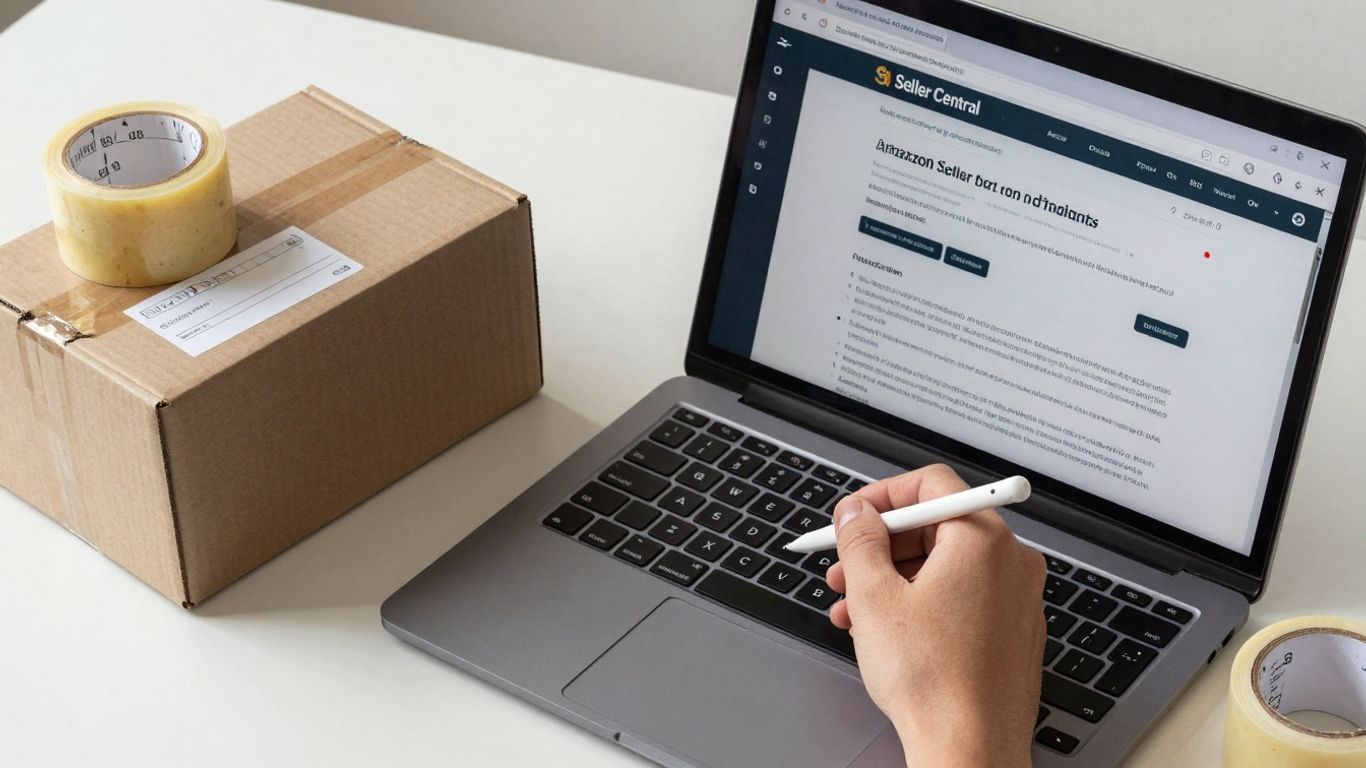
Alright, so you’ve decided to take the reins and manage your own fulfillment with Amazon FBM. Smart move, especially if you’re tired of watching Amazon’s fees eat into your profits. Getting this set up right from the start is key, and thankfully, it doesn’t have to take forever. We’re talking about a roadmap that can get you from zero to your first order in about three hours, assuming you’ve already got your Seller Central account humming along.
From Zero to First Order: Your 3-Hour Roadmap
First things first, you need to tell Amazon you’re going rogue (in a good way!). Head over to Settings in Seller Central, then find ‘Fulfillment by Amazon’ and switch your target ASINs to ‘merchant fulfilled.’ If you’ve got a bunch of items, the ‘Inventory Planning’ section lets you do this in bulk. It’s like telling Amazon, ‘Thanks, but I got this.’
Next up, let’s talk inventory. You’ll need to create a list of all your products. Keeping this accurate is super important to avoid selling something you don’t have. A simple spreadsheet works, or if you’re feeling fancy, inventory management software can keep everything tidy.
Once orders start rolling in, you’ll see them in Seller Central. Your job is to pick, pack, and ship them. Make sure you’re using good packaging so things don’t arrive looking like they went through a wrestling match. Prompt shipping is the name of the game here. Providing tracking numbers is a nice touch that customers appreciate.
Mastering Shipping Templates for Prime Eligibility
This is where things can get a little tricky, but it’s also where you can shine. Go to Settings, then ‘Shipping Settings,’ and find ‘Shipping Templates.’ You’ll want to create templates that are specific to different regions. The trick here is to set delivery windows that are realistic, maybe even a little conservative. If you can ship something in two days, promise three. This helps keep your customers happy and can even help you qualify for the Seller Fulfilled Prime (SFP) program down the line, which is a big deal for visibility.
Setting realistic delivery times in your shipping templates is more than just a suggestion; it’s a performance metric. Underpromising and overdelivering, even slightly, builds trust and can significantly boost your buy box eligibility. Don’t let overly optimistic estimates lead to missed delivery dates and unhappy customers.
Inventory Sync Strategies to Prevent Overselling Nightmares
Nobody likes telling a customer their order can’t be fulfilled because you messed up inventory. To avoid this, you need a solid sync strategy. Use the ‘Inventory Loader’ template for managing lots of SKUs. The golden rule? Set buffer stock levels. Aim for about 15-20% below your actual physical inventory. This buffer acts as a cushion for any slight delays in your sync process, preventing those dreaded overselling situations. It’s a small step that saves a lot of headaches and protects your seller metrics. For more on managing your fulfillment, check out this guide on FBM operations.
After you’ve got these basics down, do a quick test run. Place a few test orders yourself to different regions, check that shipping costs look right, and make sure your inventory levels are updating quickly. It’s better to catch any glitches now than when real customers are waiting.
FBM Fulfillment Operations: Building an Error-Free Dispatch
Okay, let’s talk about the nitty-gritty of actually getting orders out the door when you’re doing Merchant Fulfilled. This is where the rubber meets the road, and frankly, where a lot of FBM sellers trip up. Operational chaos isn’t just messy; it eats into your profits faster than you can say “late shipment defect.” You need systems, plain and simple, that can handle more orders without falling apart.
Standard Operating Procedures for Scalable Success
Think of Standard Operating Procedures (SOPs) as your business’s instruction manual. Without them, every order is a new adventure, and not the fun kind. For FBM, this means having clear, written steps for everything from picking an item to slapping a label on the box. This isn’t just about consistency; it’s about making sure you’re hitting Amazon’s deadlines. You need to know, without a doubt, how long each step should take.
Here’s a peek at what a basic pre-dispatch checklist might look like:
- Order Verification: Does the item picked exactly match the SKU on the order? For pricier items, maybe snap a quick photo.
- Packaging Check: Is the box the right size? Is it packed securely so nothing breaks? Does it meet any specific Amazon prep rules?
- Shipping Details: Is the address correct? Are we using the right shipping speed based on the customer’s selection and your shipping template?
- Tracking Upload: This is a big one. Tracking needs to be uploaded within 60 minutes of the carrier picking up the package. Get this wrong, and Amazon notices.
The goal here is to make fulfillment predictable. When you have clear procedures, you can train new staff faster, reduce mistakes, and keep your seller metrics looking good. It’s about building a process that doesn’t rely on one person remembering everything.
Leveraging Automation to Eliminate Manual Touchpoints
Let’s be honest, nobody enjoys doing the same tedious task over and over. Automation is your best friend when it comes to reducing errors and freeing up your time. We’re not talking about needing a Silicon Valley budget here. Simple tools can make a huge difference.
Consider these areas:
- Inventory Management: Software that syncs your stock levels across different platforms or even just within your own warehouse can stop you from selling something you don’t have. Tools like Cin7 or Skubana can help.
- Shipping Software: Instead of manually typing addresses and choosing carriers, shipping platforms (like ShipStation or Ordoro) can pull orders, compare carrier rates, print labels in batches, and automatically upload tracking back to Amazon. This saves a ton of time and cuts down on typos.
- Order Routing: If you sell on multiple channels, tools can help direct orders to the right fulfillment location or system automatically.
The more you can automate, the fewer opportunities there are for human error. This directly impacts your customer experience and your seller performance.
Strategic 3PL Partnerships for Expanded Reach
Sometimes, you just outgrow your own four walls. If you’re shipping hundreds or thousands of orders a day, or if you’re struggling to meet shipping times, it might be time to look at a Third-Party Logistics (3PL) provider. These companies specialize in warehousing and shipping.
Why consider a 3PL?
- Scalability: They have the space and staff to handle your order volume, even during peak seasons.
- Cost Efficiency: Often, they get better shipping rates than you can because they ship so much volume. They also have optimized processes that can be more efficient than your in-house setup.
- Geographic Reach: Many 3PLs have multiple warehouses across the country. This means you can store your inventory closer to your customers, cutting down on shipping times and costs.
Choosing the right 3PL is like picking a business partner. You need to find one that understands Amazon’s requirements, has good communication, and fits your budget. It’s a big decision, but for many growing FBM businesses, it’s the key to unlocking the next level of growth without the headache of building out massive infrastructure yourself.
Nailing Shipping, Returns, and Customer Experience with FBM
Alright, let’s talk about the nitty-gritty of keeping your Amazon FBM customers happy and your seller metrics looking sharp. This is where you really get to shine and show Amazon (and your customers) what you’re made of. It’s not just about getting the product out the door; it’s about the whole experience, from the moment they click ‘buy’ to the unlikely event they need to send it back.
Exceeding Amazon’s Minimums for Stellar Seller Metrics
Amazon has its baseline expectations, and honestly, meeting them is just the bare minimum. To really stand out and keep your account health in the green, you need to aim higher. Think about it: if everyone else is just okay, being great is how you win.
- Dispatch Speed: Aim to ship orders placed before 2 PM the same day. Seriously, same-day dispatch is a game-changer.
- Tracking Uploads: Get that tracking number uploaded within 60 minutes of shipping. No one likes waiting in the dark.
- Delivery Window: Make sure 90% of your customers can get their orders within 2 days. This is where you can really differentiate yourself from the pack.
Using carrier integration APIs can automate a lot of this, saving you headaches and preventing those dreaded late shipment rate penalties. It’s like having a little helper that never sleeps.
The customer experience in Amazon FBM directly impacts your seller metrics. Poor performance can trigger account health issues that might cost you the buy box or worse. It’s a delicate dance, but one you can master with the right approach.
Military-Grade Precision in Returns Processing
Returns happen. It’s a fact of life in e-commerce. But how you handle them can make or break a customer relationship and, more importantly, your seller standing. Amazon expects you to be on the ball here, and they don’t mess around.
- Authorization: Authorize returns within 48 hours. Don’t let them linger.
- Refunds: Process refunds within 2 business days of receiving the returned item. Speed is key.
Build these timelines into your Standard Operating Procedures (SOPs) and make sure your team (or you!) knows them by heart. Delays here don’t just annoy customers; they directly hit your account health and overall satisfaction scores. It’s like a puzzle, and every piece needs to fit perfectly and on time.
Building Direct Customer Relationships Beyond Amazon
This is where FBM really lets you flex your muscles. While FBA sellers are somewhat disconnected from their buyers, you have a golden opportunity to build real connections. Think of Amazon as the storefront, but you’re building the brand that keeps people coming back.
- Personalized Packaging: Include a thank-you note, a small branded sticker, or even a discount code for their next purchase. Make it feel special.
- Post-Purchase Communication: A simple follow-up email asking if everything arrived okay can go a long way. It shows you care.
- Brand Building: Encourage reviews and feedback directly, and use it to improve your products and services. This is how you build loyalty that transcends the marketplace. You can even explore new things to make and sell to diversify your offerings and build a stronger brand presence.
By controlling these touchpoints, you’re not just making a sale; you’re cultivating a customer who might just bypass Amazon next time to buy directly from you. That’s the real win.
FBM Pricing, Fees, and Margins: Optimizing Your Bottom Line
Alright, let’s talk turkey. You’ve got your Amazon FBM game plan, but are you actually making money? It’s easy to get lost in the sales numbers and forget about the nitty-gritty costs that chip away at your profits. With FBM, you’re the boss of your fulfillment, which means you’re also the boss of your costs. But that power comes with responsibility – you have to know where your money is going.
Uncovering Hidden Fulfillment Costs
Think your profit margin is looking pretty sweet? Hold on a second. Beyond Amazon’s referral fees (which can be a hefty chunk, anywhere from 6% to 45% depending on what you’re selling), there are other costs lurking in the shadows. We’re talking about the real stuff: the time your team spends picking and packing, the boxes and tape you use, the rent for your warehouse space (even if it’s just a corner of your garage), and any software you use to keep things running smoothly. A $50 sale might look good on paper, but add in labor, materials, and shipping, and that healthy-looking margin can shrink faster than a cheap sweater in a hot wash.
Here’s a quick breakdown of what to watch out for:
- Referral Fees: Amazon’s cut, varies by category.
- Variable Closing Fees: A small fee per item, especially for media.
- Monthly Plan Fees: If you’re on the Professional plan ($39.99/month).
- Labor Costs: Your time or your employees’ time for picking, packing, and shipping.
- Packaging Materials: Boxes, tape, bubble wrap, labels – it adds up.
- Shipping Costs: What you actually pay the carrier.
- Overhead: Warehouse space, utilities, software subscriptions.
Negotiating Carrier Rates and Volume Discounts
Shipping is often one of the biggest variable costs in FBM. Don’t just accept the first quote you get from a carrier. If you’re shipping a decent volume, you have negotiating power. Start by tracking your monthly shipment numbers. Once you hit a certain threshold (often around 500 shipments a month), you can start asking for volume discounts. Carriers are usually willing to offer 15-30% off their standard rates if they know they’re getting consistent business from you. It’s worth spending a few hours quarterly to shop around and get quotes from different carriers. You might be surprised at how much you can save.
The 2026 Margin Reality Check: What’s Healthy?
So, what’s a good FBM margin in 2026? It’s not a one-size-fits-all answer, but generally, if you’re netting between 25% and 35% after all your costs are accounted for, you’re in a solid spot. If you’re consistently below 20%, it’s time to do a deep dive into your operations. Are your shipping costs too high? Is your labor inefficient? Are you using too much packaging? Finding these leaks is key to keeping your FBM business afloat and profitable.
Don’t let the allure of high sales volume blind you to the reality of your profit margins. Every order needs to be profitable on its own, not just contribute to a larger, less defined goal. Understand your true cost per order and make decisions based on that data, not just wishful thinking.
It’s about more than just surviving; it’s about thriving. By keeping a close eye on your pricing, understanding every fee, and constantly looking for ways to trim costs without sacrificing quality, you can turn your FBM operation into a genuine profit powerhouse.
Troubleshooting and Growth Levers for Your Amazon FBM Account
So, you’ve got your FBM operation humming along, but like any engine, sometimes it sputters. Don’t sweat it. Every seller hits a snag now and then. The trick is knowing how to spot the issue and then, more importantly, how to fix it – and maybe even turn it into a chance to grow. Think of it as fine-tuning your race car instead of just driving it.
Monitoring Key Metrics for Sustainable Growth
Keeping an eye on your numbers is non-negotiable. It’s how you know if you’re on track or if you’ve veered off course. Amazon gives you a dashboard, and it’s packed with info. You need to know what to look for. Are your late shipment rates creeping up? Is your order defect rate looking a little… defective? These aren’t just numbers; they’re red flags that can impact your account health. Regularly checking your Amazon Account Health dashboard is like a doctor’s check-up for your business. It helps you catch problems before they become serious illnesses.
Here are some metrics that deserve your daily or weekly attention:
- Order Defect Rate (ODR): This is your report card on customer satisfaction. A low ODR means happy customers. High ODR? That’s a fast track to trouble.
- Late Shipment Rate: If you’re promising fast shipping, you better deliver. Amazon watches this closely, and so do your customers.
- Valid Tracking Rate: Customers want to know where their stuff is. Uploading tracking info promptly is key.
- Cancellation Rate: This shows how well you manage your stock. Too many cancellations make Amazon (and buyers) think you’re unreliable.
Solving Common FBM Pain Points
Let’s talk about the stuff that keeps sellers up at night. Overselling is a big one. You sell something you don’t have? Cue the angry customer and the negative feedback. This usually comes down to inventory sync issues. If you’re selling on multiple channels, or even just within Amazon but not perfectly synced, you can run into this. Automation tools can help here, linking your inventory management system directly to Amazon. Another common headache is returns. Processing them efficiently and correctly is vital. Amazon has strict timelines, and missing them hurts your metrics. Having a clear, repeatable process for returns is a must.
Dealing with returns efficiently isn’t just about following Amazon’s rules; it’s about maintaining customer trust. A smooth return process can actually turn a potentially negative experience into a positive one, encouraging repeat business.
Scaling Past Margins with Strategic Allocation
Once you’ve got your operations running smoothly and you’re hitting your targets, it’s time to think bigger. How do you grow without just throwing more money at the problem? It’s about smart allocation. This might mean investing in better software to automate more processes, freeing up your team for higher-value tasks. Or perhaps it’s about strategically partnering with a 3PL (Third-Party Logistics) provider for certain regions or product types. This doesn’t mean giving up control; it means using external resources to expand your reach and efficiency. Consider which products are most profitable and focus your FBM efforts there, while perhaps exploring other fulfillment methods for less profitable or more complex items. It’s about playing to your strengths and using the right tool for the right job.
Having trouble with your Amazon FBM account? We can help you fix common issues and find ways to boost your sales. Don’t let problems hold you back from growing your business. Visit our website today to learn how we can help you succeed on Amazon!
Wrapping It Up: Your FBM Journey Continues
So, there you have it. We’ve gone through the ins and outs of making your Amazon FBM account sing in 2026. It’s not always a walk in the park, and sometimes you might feel like you’re juggling chainsaws while riding a unicycle. But remember, you’re the one in the driver’s seat. You’ve got the power to control your inventory, your shipping, and ultimately, your profit margins. Keep tweaking those processes, stay on top of your numbers, and don’t be afraid to learn from others. The FBM world is always changing, but with the right approach, you’re well-equipped to handle whatever comes your way. Now go forth and fulfill like a boss!
Frequently Asked Questions
What exactly is Amazon FBM?
Amazon FBM, which stands for Fulfillment by Merchant, is a way to sell on Amazon where you, the seller, handle all the work after a customer buys your product. This means you’re in charge of storing your items, packing them up when they sell, and shipping them directly to the customer. Think of it as Amazon providing the store window, but you’re the one running the back room and the delivery service.
Why would a seller choose FBM over FBA?
Many sellers pick FBM because it gives them more control over their business. You get to decide how things are packed, which shipping companies you use, and you can often save money, especially if you have big or oddly shaped items. It’s also a good option if you want to build a closer relationship with your customers or if you already have your own warehouse or a deal with a shipping company.
How do I set up my FBM account quickly?
To get started fast, you’ll need to tell Amazon you want to use FBM instead of FBA for your products. Then, you’ll want to set up your shipping details so Amazon knows where you’re shipping from and how fast you can get orders out. It’s also super important to have your products ready to go so you can ship them out right away once an order comes in.
Does FBM mean I can’t get the Prime badge?
Normally, FBM sellers don’t automatically get the Prime badge. However, if you can consistently ship orders very quickly and reliably, you can apply for the Seller Fulfilled Prime (SFP) program. It’s tough to get into and requires meeting strict performance standards, but it allows you to offer Prime shipping while still managing your own fulfillment.
What are the biggest challenges with FBM?
The main challenges with FBM are managing all the moving parts yourself. You have to be really good at keeping track of your inventory so you don’t run out of stock or sell something you don’t have. You also need to make sure you ship orders on time and handle returns smoothly. If you mess up on these things, it can hurt your seller score on Amazon.
How does FBM affect my profits?
FBM can lead to better profits because you cut out some of Amazon’s fees that come with FBA. You have more control over shipping costs and packaging expenses. However, you need to be smart about it. If your shipping and handling costs are too high, or if you make mistakes that lead to unhappy customers, it can eat into your profits. It’s all about being efficient and organized.