
Avoid These Mistakes When Implementing Amazon SEO ranking factors
So, you’re selling on Amazon and want your products to actually get seen? That’s where Amazon SEO comes in. It’s not just about having a good product; it’s about making sure the right people find it. Lots of sellers mess this up without even knowing it, and it hurts their sales. We’ll look at some common mistakes people make with Amazon SEO ranking factors and how to fix them so your products get noticed.
Key Takeaways
- Keyword research is the starting point. If customers aren’t searching for the words you’re using, your product won’t show up.
- Your product title is super important for visibility. Make it clear, include key details, and use relevant keywords.
- Good product descriptions help customers decide to buy. Write them clearly, use keywords, and make them easy to read.
- Don’t forget backend search terms and high-quality images. They help Amazon understand your product and get people to click.
- Customer reviews and Q&A build trust and help your ranking. Pay attention to feedback and answer questions.
Mastering Keyword Research For Amazon SEO Ranking Factors
Getting your product found on Amazon all comes down to solid keyword research. So many sellers skip this step or just guess at what words people use, but that’s a fast track to getting buried in search results.
Understanding Customer Search Behavior
It pays to think like your customers. Most people shopping on Amazon have a product in mind and use the search bar to type specific phrases. Sellers often use technical terms or marketing lingo, but average buyers don’t. For instance, someone might search for “spill-proof kids cup” instead of “vacuum-insulated drinking vessel.”
Here’s what can happen if you ignore real search habits:
- You optimize for the wrong keywords and miss out on traffic.
- Your listings become invisible in relevant searches.
- Potential sales go to competitors who matched the customer’s language.
Leveraging Amazon’s Autocomplete Suggestions
Amazon’s search bar gives more than hints—it shares the exact words shoppers use. When you start typing a product, Amazon auto-fills with popular searches. That’s free keyword gold, and way more useful than random brainstorming.
Top reasons to use Amazon’s autocomplete:
- Reflects real, up-to-date search trends
- Highlights longer, more specific phrases
- Reveals high-intent keywords that mean someone is ready to buy
| Search Query | Suggested Autocomplete |
|---|---|
| phone case | phone case iphone 13 pro max |
| travel mug | travel mug spill proof adults |
| pet hair remover | pet hair remover for laundry |
Utilizing Keyword Research Tools Effectively
Manual research can only get you so far. Tools like Helium 10, Jungle Scout, or Amazon’s own Keyword Tool show you real search volumes and competitive phrases. But it’s not about stuffing your list with every keyword possible—you need to focus on relevance.
Here’s how to get the most out of research tools:
- Find the primary keyword (high traffic, clear intent)
- Collect related long-tail phrases with less competition
- Analyze what keywords competitors rank for
Digging deep into keyword research might take some time, but ignoring it usually means your great product just sits and collects dust.
Proper keyword research does more than boost your search ranking—it helps match what buyers actually want, so you get seen by the right people.
Optimizing Product Titles For Maximum Visibility

Your product title is the very first thing a shopper sees when they search for something on Amazon. It’s like the cover of a book – it needs to grab attention and tell people what they’re getting, fast. If your title is confusing, too short, or just plain wrong, people will scroll right past. This isn’t just about looking good; it directly impacts how Amazon’s search engine sees your product.
The Critical Role Of Product Titles In Search
The title is a huge factor in Amazon’s search algorithm. Think of it as a primary signal. When a customer types something into the search bar, Amazon looks at your title to see if it matches what they’re looking for. A well-optimized title helps your product appear higher in search results, meaning more eyes on your listing. A strong title is your product’s handshake with the customer and the algorithm. It needs to be clear, informative, and contain the most important keywords that buyers use.
Incorporating Key Attributes And Keywords
When building your title, you want to include the most important information upfront. This usually means your brand name, the main product name, and the most relevant keywords. Don’t just stuff keywords in there, though. They need to make sense in the context of a readable sentence. Think about what a customer would actually type to find your product. For example, instead of just "Shoes", try "Brand Name Men’s Waterproof Hiking Boots". This includes the brand, the product type, and key features like "waterproof" and "hiking", which are important search terms.
Here’s a breakdown of what to consider:
- Brand Name: Always include your brand.
- Primary Keyword: The main term customers use to find your product.
- Key Attributes: Important features like size, color, material, or quantity.
- Benefit/Use Case: Briefly mention what the product does or who it’s for.
Remember, Amazon has character limits, and these can vary by category. It’s also important to know that titles get cut off on mobile devices, so put the most vital information at the beginning. You can find more details on Amazon keyword research to help you identify the best terms.
Ensuring Clarity And Conciseness For Buyers
While you want to pack your title with keywords and important details, it also needs to be easy for a human to read. Nobody wants to decipher a jumbled mess of words. Amazon’s algorithm is smart, but it also prioritizes listings that customers engage with. If your title is too long or confusing, people won’t click, and that tells Amazon your product isn’t a good match. Aim for a balance. Make sure the first 50-60 characters are compelling, as this is what’s often visible on mobile devices and in search results.
A good product title tells a story: who it’s for, what it is, and why it’s special, all in a way that’s easy to understand at a glance.
Crafting Compelling Product Descriptions
A product description isn’t just there for decoration—it’s the final nudge convincing buyers to put your product in their cart. But you’d be surprised how many sellers slap up generic, copy-and-paste text and wonder why sales are so slow. Let’s look at how to avoid the classic mistakes and turn your description into a selling machine.
Writing Detailed And Keyword-Rich Descriptions
Nobody enjoys reading boring text, especially not shoppers who want to know exactly what your product is and why they should trust it. Details matter. Good descriptions answer questions before your customer even thinks to ask. Focus on benefits, not just the features—explain what problems your product actually solves.
Here’s what makes a strong, relevant description:
- Use direct, simple language. Don’t try to sound clever—be clear.
- Sprinkle in long-tail keywords naturally
- Highlight what makes your product unique: Is it more durable? Easier to clean?
- Address any potential concerns right there in the text
A well-written description can also support your business objectives, especially if you’re aiming for higher conversion rates and bigger reach.
Structuring Content For Readability
Formatting matters more than you think. Customers scan, they don’t read every word—especially on phones. Short sentences, brief paragraphs, and bullet points make your description much easier to skim.
Consider this simple structure:
- Start with a 1-2 sentence hook that states the main benefit
- Use bullet points for features and frequently asked questions
- Add a closing paragraph as your final sales pitch
| Formatting Tip | Why It Works |
|---|---|
| Bullet points | Easy to scan quickly |
| Short paragraphs | Less overwhelming |
| Clear section headers | Guides the reader |
If someone has actually read through your whole description, it means they’re truly interested. Use that last paragraph to encourage action and make your pitch clear, not pushy.
Using Descriptions As A ‘Closing Argument’
Think of your product description as your final chance to persuade—it’s like summing up your case in court, but way less formal. Encourage the hesitant shopper to take that last step with you.
- Remind them what makes your product stand out
- Offer a nudge, like a satisfaction guarantee or a friendly customer service promise
- Remove doubt: reassure with short facts, not fluff
And if you have access to Amazon’s A+ Content, use it to add rich, visual details or FAQs. These extra touches can sway buyers who need just a little more assurance before they commit.
Writing descriptions on Amazon isn’t rocket science, but skipping these basics can seriously hold you back. Focus on clarity, benefits, and a little bit of personality—and watch how your conversions improve.
Leveraging Backend Search Terms And Images
Think of your product listing like a storefront. The title and description are what people see from the street, but there’s a whole back room where you can organize things to make sure customers find exactly what they’re looking for. That’s where backend search terms and great images come in.
The Importance of Backend Keywords
Amazon’s search algorithm is pretty smart, but it doesn’t always connect the dots perfectly. Sometimes, customers search in ways you might not expect. For example, "blue shoes" and "shoes blue" can be seen as different by the system. This is why Amazon gives you a special place to add keywords that don’t necessarily fit into your title or description but are still relevant. These are your backend search terms, and they’re hidden from shoppers but visible to Amazon’s search engine. Not filling these out is like leaving money on the table.
Here’s what to keep in mind:
- Character Limit: You have a limit of 250 bytes (which is roughly 250 words, but it’s good to be mindful of character count). Use this space wisely.
- No Repetition: Don’t repeat words you’ve already used in your title, bullet points, or description. Amazon penalizes this, and it wastes your valuable character space.
- Singular vs. Plural: You generally don’t need to include both singular and plural forms of a word. Amazon’s system is smart enough to catch variations.
- No Need for Capitalization: "Blue" and "blue" are treated the same by Amazon, so don’t waste characters on capitalization.
- Typos: Amazon often corrects minor typos automatically, so you don’t need to list common misspellings.
Think about synonyms, related terms, and even common misspellings that customers might use. This is a great place to capture those long-tail keywords that might not fit naturally elsewhere. You can find this section in your Seller Central account under Inventory > Manage Inventory > Keywords.
Optimizing Product Images for Click-Through Rate
Your product images are arguably the most important part of your listing after the title. They’re the first visual impression a potential buyer gets. High-quality images don’t just make your product look good; they directly influence whether someone clicks on your listing from the search results page (your click-through rate, or CTR) and, ultimately, whether they buy.
- High Resolution is a Must: Blurry or pixelated images look unprofessional and can make customers doubt the quality of your product.
- Multiple Angles: Show your product from every important angle. Let customers see exactly what they’re getting.
- Zoom Functionality: Ensure your images are high enough resolution to allow customers to zoom in and see details.
Utilizing High-Resolution and Lifestyle Shots
Beyond just clear, high-resolution shots from different angles, think about how customers will actually use your product. This is where lifestyle images shine. A lifestyle shot shows your product in use, in a real-world setting. For example, if you’re selling a backpack, show someone hiking with it. If it’s a kitchen gadget, show it being used to prepare a meal.
These images help customers visualize themselves using your product, bridging the gap between browsing and buying. They answer unspoken questions and create an emotional connection that a plain product shot can’t.
Infographics can also be incredibly helpful. These can highlight key features, dimensions, or benefits in an easy-to-understand visual format. Filling all available image slots with a mix of high-quality product shots, lifestyle images, and infographics can significantly improve your listing’s appeal and conversion rates. Remember, good images help boost Amazon product visibility and can lead to more sales.
The Power Of Customer Reviews And Q&A
Understanding The Impact Of Reviews On Trust And Ranking
Customer reviews hold real weight on Amazon, not just for buyers but also for how high your product ranks in search. Amazon’s algorithm pays special attention to product reviews, both in number and quality. If you’ve ever wondered why your listing lags behind a similar item, chances are its reviews made the difference. Shoppers trust peer feedback more than anything you personally write about your product. A lack of reviews or too many negative ones can raise red flags and drive shoppers away.
| Review Factor | Direct Impact |
|---|---|
| Star Rating | Buyer trust & conversion |
| Review Volume | Amazon search relevance |
| Recent Feedback | Ongoing algorithmic boost |
| Response To Reviews | Signals active seller engagement |
Systematic Review Management Strategies
If you’re not actively managing your reviews, you’re missing out on easy improvements. Here are simple steps for steady review health:
- Politely ask buyers for honest feedback with a follow-up email (always follow Amazon’s policies).
- Respond to every negative review with an apology and a practical solution—replacement, refund, or extra help.
- Thank happy customers publicly. It makes you look responsive and encourages more positivity.
- Watch for repeated complaints. Adjust your listing or product info to clear up confusion and avoid future problems.
Sometimes, a two-sentence apology in public does more for your reputation than hours spent on advertising. Shoppers remember when you fix mistakes.
Proactively Addressing Customer Questions
The Q&A section is one spot a lot of sellers ignore, but it matters. When buyers ask questions, they’re close to purchasing but need last-minute clarity. If you leave these questions unanswered, you’re telling customers you don’t care—or worse, giving competitors a chance to step in.
- Monitor the Q&A daily and answer quickly.
- Keep answers simple and honest—no exaggeration or evasiveness.
- Look for patterns in what gets asked and update your product bullets or description to address these points upfront.
Active Q&A sections often improve buyer confidence and reduce returns because customers feel informed. On Amazon, even one well-answered question can set you apart from sellers who look absent.
Having a plan for review management and Q&A response isn’t just best practice. It’s the difference between hanging back or rising up those rankings.
Strategic Pricing And Fulfillment Considerations
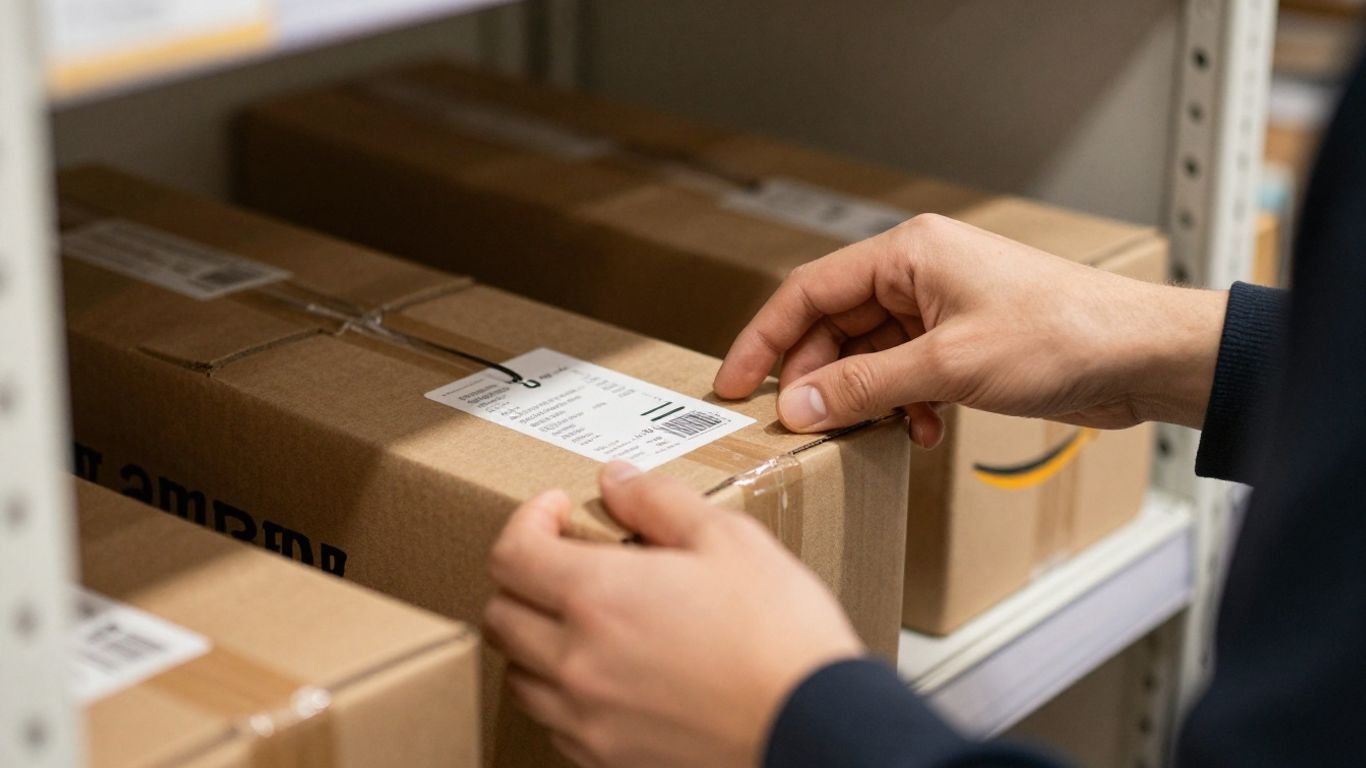
Pricing and fulfillment on Amazon aren’t just about what looks right—they’re a real test of how well you know the market and your competition. A few missteps here, and you can lose visibility or profits fast. Let’s break down what sellers get wrong and what you should actually focus on.
Maintaining Competitive Pricing
Getting your pricing wrong can sink your listing, even if you have the best keywords and reviews. Buyers compare, and so does Amazon’s algorithm. When you set prices too high, you usually get ignored. Too low? People might think your product is unreliable or low quality—plus, you could start a race to the bottom. Here’s how to keep your prices competitive:
- Check your main competitors daily or weekly. Don’t just set and forget your price.
- Use Amazon’s automated pricing tools if you have a lot of SKUs—these adjust your prices in real time based on market changes.
- Balance your price so it covers costs but doesn’t scare away shoppers.
| Price Point | Customer Perception | Risk |
|---|---|---|
| Below Avg | Poor quality, Bargain | Low profit, Low rank |
| Average | Fair value, Competitive | Missed premium margin |
| Above Avg | Premium, Trustworthy | Fewer sales, Hidden |
Keep in mind, static prices rarely work long-term. The market changes, so your pricing should too—give yourself room to adjust as needed.
Understanding Fulfillment By Amazon (FBA) Advantages
Most shoppers just want their package delivered fast and with no hassle. That’s where Fulfillment By Amazon comes in. FBA means
Amazon stores, picks, packs, and ships your product, and it unlocks the Prime badge. Sellers using FBA also get an edge in the Buy Box and show up more often in search results. Some simple reasons to consider FBA:
- It builds customer trust with Prime delivery.
- Handles returns and customer support for you.
- Lets you scale faster (no shipping from your garage).
But there are fees. Before you jump in, run the numbers—sometimes FBA works best for small, high-volume products.
Analyzing Competitor Pricing Strategies
Competitive analysis isn’t a fancy term—it just means you look at what others sell, how they price, and what gets them reviews. Sellers often don’t pay enough attention here, and that’s a miss. Here’s how you can learn from the field:
- Track a handful of top products in your category.
- Note what features or bundles they offer at different price points.
- Watch for discounts or regular price changes—are they staying cheap, or using sales to create urgency?
This table helps illustrate:
| Competitor | Base Price | Bundle/Bonus? | Number of Reviews | Monthly Sales Estimate |
|---|---|---|---|---|
| Brand A | $19.99 | No | 3,000 | 500 |
| Brand B | $22.49 | Yes | 1,500 | 300 |
| Brand C (You) | $18.99 | No | 800 | 150 |
You want to position yourself where buyers feel they’re getting a fair deal, but you’re also not losing out on margins or brand reputation.
The biggest mistake is thinking a good product will always sell itself. Your pricing and fulfillment strategy is half the battle on Amazon.
Enhancing Listings With A+ Content
A+ Content might sound like just another Amazon feature, but, really, it’s a whole new set of tools for making your product page stand out. Sellers with brand registry can add more than just text—they can use images, charts, comparison tables, and extra copy to tell a better story about their brand and products. When done right, it not only helps sales but also helps your search ranking in a big way.
Utilizing Rich Media For Product Pages
With A+ Content, you have the chance to add:
- Detailed image modules showing different angles and close-ups
- Lifestyle photos that show how your product fits into real-world situations
- Charts comparing your product to your other options or the competition
- Icon callouts for major features (think: waterproof, lightweight, etc.)
- Branded story sections to introduce your business
All these features work together to break through the noise and give customers reasons to pick your listing instead of someone else’s.
Boosting Engagement And Conversion Rates
Let’s be real—most people skim. They rarely read long descriptions, especially on mobile. Rich media gives you the chance to:
- Communicate your value fast with visuals
- Anticipate and answer common shopper questions
- Highlight benefits that buyers care most about (not just features)
Here’s a quick comparison from what we’ve noticed across different types of listings with and without A+ Content:
| Listing Type | Avg. Conversion Rate (%) |
|---|---|
| Basic Listing | 9 |
| A+ Content Listing | 12 |
That’s a pretty clear bump if you’re watching your numbers.
A+ Content helps make things clearer for your buyers and gives your listing a professional polish that regular copy and tiny images just can’t match.
Ensuring Brand Registry For Content Control
If you’re not already enrolled in Amazon Brand Registry, you won’t qualify for A+ Content. Signing up is one extra step, but it’s worth it:
- You can protect your product listings from copycats
- You can update or fix content as you see fit
- You’re able to unlock A+ Content modules and tools
One last thing: keep your content accurate and up to date. Don’t set and forget it—refresh your A+ Content if your product changes, you get new feedback, or you see sales start to drop.
This isn’t just about looking better—A+ Content is about connecting the dots between shopper questions and seller answers, all in one place.
Make your product stand out with amazing A+ Content! It’s a fantastic way to grab shoppers’ attention and tell your product’s story. Ready to boost your sales? Visit our website today to learn how we can help you create eye-catching content that converts browsers into buyers!
Wrapping It Up
So, we’ve gone over a bunch of common slip-ups that can really hurt your Amazon sales. It’s easy to get caught up in the day-to-day of running your business and forget about the little things that make a big difference in how customers find you. But honestly, paying attention to things like keyword research, making your titles and descriptions clear, and even managing reviews can seriously change your game. Think of it like this: you wouldn’t open a shop without putting up a sign, right? Amazon SEO is kind of the same. Keep tweaking your listings, watch what your competitors are doing, and don’t be afraid to use all the tools Amazon gives you. Doing these things consistently will help more people see your products and hopefully, buy them.
Frequently Asked Questions
What is Amazon SEO and why is it important for sellers?
Amazon SEO stands for Search Engine Optimization on Amazon. It’s the process of making your product listings more visible to shoppers by using the right keywords, clear titles, good images, and helpful descriptions. If you don’t use Amazon SEO, your products might not show up when people search, so you’ll miss out on sales.
How do I find the best keywords for my Amazon listings?
Start by thinking about what your customers would type in the search bar. You can also use Amazon’s autocomplete suggestions and special tools like Helium 10 or Jungle Scout to see popular keywords. Make sure the keywords you pick are related to your product and what people are actually searching for.
Why is the product title so important for Amazon SEO?
The product title is the first thing both customers and Amazon’s search system see. A good title helps your product show up in searches and tells shoppers exactly what you’re selling. Make sure to include important details like brand, color, size, and your main keywords, but keep it easy to read.
What should I include in my product description to improve ranking and sales?
Your product description should explain what your product does, why it’s great, and answer any questions shoppers might have. Use simple language, add important keywords, and break up the text with bullet points or short paragraphs so it’s easy to scan. This helps both buyers and Amazon’s system understand your product better.
How do customer reviews and Q&A affect my product’s ranking?
Customer reviews and Q&A are very important. Products with more positive reviews often appear higher in search results. Answering customer questions quickly and politely also helps build trust and can boost your ranking. Always encourage happy customers to leave reviews and respond to feedback.
What are backend keywords and why should I use them?
Backend keywords are hidden words you add in your product settings that shoppers don’t see. These help Amazon’s search system connect your product to more searches. Use all the space Amazon gives you for backend keywords, and make sure they’re different from the ones in your title and description.