How to Sell on Amazon in 2026: A Practical Step-by-Step Guide
Thinking about selling on Amazon in 2026? It’s a big marketplace, and getting started can feel a bit overwhelming, right? Like, where do you even begin? This guide is meant to break it all down for you, step by step. We’ll cover everything from setting up your account to actually getting your products in front of customers. It’s not some magic formula, just a practical way to approach selling on Amazon so you don’t end up pulling your hair out.
Key Takeaways
- Figure out the basics: Choose your selling plan and get your Seller Central account set up properly. Don’t forget the business and money side of things.
- Find and test products: Do your homework on what sells, find reliable suppliers, and make sure your product is a good idea before you buy a ton of it.
- Make your listings shine: Good pictures and a clear story about your product are super important for getting noticed.
- Handle your stock smart: Decide if Amazon will ship for you (FBA) or if you’ll do it (FBM), and think about how to manage your warehouse space.
- Get the word out: Use Amazon’s own ads and other marketing methods to get your products seen and sold.
Establishing Your Foundation to Sell on Amazon
Getting started on Amazon might seem a bit overwhelming at first, but breaking it down makes it much more manageable. Before you even think about listing a product, you need to set up the basic framework for your business. This involves making some key decisions about how you’ll operate and what your business will look like from a structural and financial standpoint.
Choosing Your Selling Plan
Amazon offers two main selling plans: Individual and Professional. The Individual plan is pay-as-you-go, costing $0.99 per item sold, plus other selling fees. It’s a good starting point if you’re not sure how many items you’ll sell or if you’re just testing the waters. The Professional plan, on the other hand, has a flat monthly fee of $39.99, regardless of how many items you sell, and it comes with access to more advanced selling tools and reports. For most sellers aiming for growth, the Professional plan is the way to go, especially since it’s often a requirement for certain selling features and incentives. It’s a good idea to look into the Professional selling plan if you plan to sell more than 40 items a month.
Configuring Your Seller Central Account
Once you’ve chosen your plan and registered, you’ll land in Seller Central, your command center for everything Amazon. This is where you’ll manage your business. You need to fill out all the necessary information accurately. This includes setting up your public seller profile, which is what customers see. You’ll also need to input your business and financial details, like bank account information for payments and your tax setup. Don’t forget to configure your shipping and returns settings, and decide on your notification preferences so you don’t miss important updates. Setting up user permissions is also smart if you have a team.
Understanding Business and Financial Infrastructure
This part is super important and often overlooked by new sellers. You need to establish a legal business structure, like an LLC, and get an Employer Identification Number (EIN) from the IRS if you’re in the US. It’s critical to open a separate business bank account to keep your personal and business finances completely separate. This makes accounting way easier and is vital for legal and tax purposes. Setting up accounting software, like QuickBooks or FreshBooks, from the start will save you a lot of headaches down the road. Think of this as building a solid foundation; without it, your whole Amazon venture could become unstable.
Building a strong business and financial infrastructure from day one isn’t just about compliance; it’s about setting yourself up for long-term success and making informed decisions based on accurate data. It prevents common pitfalls that trip up many aspiring sellers.
Here’s a quick look at what you’ll need to consider:
- Legal Structure: LLC, Sole Proprietorship, etc.
- Tax ID: EIN from the IRS (if applicable).
- Bank Account: Dedicated business checking account.
- Accounting Software: QuickBooks, Xero, FreshBooks, etc.
- Payment Settings: How you’ll receive funds from Amazon.
- Tax Settings: Proper configuration for sales tax and income tax.
Strategic Product Sourcing and Validation

Finding the right product to sell is probably the most important step. It’s not just about picking something you like; it’s about finding a gap in the market that people are actually looking to fill. This is where solid research and testing really pay off.
Deep Dive into Market Research
Before you even think about suppliers, you need to know what you’re looking for. We’re talking about digging into what’s already selling on Amazon and seeing if there’s room for you. Use tools like Amazon’s Opportunity Explorer to find product ideas. Look for products with growing demand – maybe something that’s seen a 20% increase in sales year over year. Also, check out the competition. Are the top sellers swamped with reviews, or are there newer products doing well? For beginners, aiming for products priced between $20 and $75 is often a good starting point. You want to make sure you can actually make a profit, so aim for at least a 30% profit margin after all your costs are accounted for. And importantly, can you make your product stand out? Is there a way to improve it, offer better packaging, or provide a unique angle?
Supplier Sourcing and Evaluation
Once you have a few product ideas, it’s time to find someone to make them. For overseas suppliers, Alibaba is a common starting point. When you search there, always use the ‘Trade Assurance’ and ‘Verified Manufacturer’ filters. Trade Assurance protects your money if something goes wrong, and ‘Verified Manufacturer’ means Alibaba has checked out the factory. Look for suppliers who have been in business for a while – five to ten years or more is a good sign they’re reliable. Also, check their customer reviews; a 4-5 star rating usually means they’re good to work with. If you’re looking for suppliers in the US, ThomasNet.com is a great resource. Keep in mind that US-made products often cost more, but they can offer advantages in quality and faster shipping.
When contacting suppliers, ask for detailed quotes. It’s smart to get quotes from at least 10 different places for each product. Try to negotiate a payment plan where you pay a maximum of 30% upfront. Always ask for proof of any certifications they claim to have, especially if your product needs to meet specific safety or quality standards. If you can, ask if they have references from other Amazon sellers.
Product Validation Testing
Getting samples is the next big step. Order samples from your top 3-5 potential suppliers for each product. Don’t just look at them; actually use them for at least a week. See how they hold up in real-life situations. Then, get feedback from people who would actually buy your product. You can find these folks in relevant online communities like Facebook groups or Reddit, or just ask friends and family who fit the customer profile. Does the quality meet expectations? Does the packaging seem sturdy enough to survive shipping? You also need to double-check that the product meets all the legal requirements for the markets you plan to sell in.
Starting with a small batch of inventory, maybe 200-500 units, is a smart way to test the waters without risking too much money. This allows you to get enough stock to build some momentum while minimizing your financial exposure if the product doesn’t take off as planned.
Here’s a quick look at what to consider when evaluating suppliers:
- Communication: How quickly and clearly do they respond to your questions?
- Quality Control: Do they have a system in place to ensure consistent product quality?
- Lead Time: How long does it take them to produce your order once it’s placed?
- Minimum Order Quantity (MOQ): Can you meet their minimum order requirements?
- Pricing: Is the price competitive, and does it allow for a healthy profit margin?
Crafting Compelling Product Listings

Your product listing is basically the storefront on Amazon. It’s where customers decide if they want to buy from you or just keep scrolling. Think of it as your digital salesperson, working 24/7. Getting this right means more eyes on your product and, hopefully, more sales. It’s not just about putting up a picture and a price; it’s about telling a story and making a connection.
Optimizing Product Detail Page Elements
Every part of your product detail page matters. The title is your first impression. It needs to be clear, informative, and packed with keywords your customers are actually searching for. Amazon gives you a good amount of space here, so use it wisely. Try to get the most important keywords near the beginning. For example, instead of just "Golf Tees," a better title might be "Bogeys and Beers Golf Tees with a Twist – Play While You Golf – Fun Interactive On-Course Golf Tee Based Drinking Game – Perfect Golf Gift Bachelor Party Novelty." This title works for both the Amazon search algorithm and for shoppers scanning the results. It tells them what it is and why it’s fun.
Bullet points are your next big chance to sell. You get five of them, and they should focus on the benefits your product offers, not just the features. How does your product make the customer’s life better? Weave in keywords naturally here too, but don’t stuff them in. Readability is key. For a fun product like a golf tee game, bullets could highlight the social experience, like "golf jokes, challenges, and drinking actions." Just be mindful of terms that might trigger Amazon’s filters, like promoting alcohol use, which could limit visibility.
Developing a Brand Story
Beyond just selling a product, you’re building a brand. Your product description is where you can really flesh out your brand’s personality and connect with customers on a deeper level. Instead of just listing specs, paint a picture. How does your product solve a problem or improve someone’s day? Use this space to tell your brand’s story, explain your mission, or highlight what makes you different. This is also a great place to naturally incorporate more keywords that didn’t fit into your title or bullets, further improving your Amazon listing optimization.
Customers can’t touch or feel your product before buying on Amazon. Your listing has to do all the heavy lifting. It needs to build trust and clearly communicate value. Think about what questions a customer might have and answer them proactively within your description.
Creating High-Quality Product Photography
Let’s be honest, people buy with their eyes. Your main product image is the absolute most important element. It’s the first thing people see in search results. If it’s not sharp, clear, and professional, they’ll likely scroll past. Amazon requires a pure white background for the main image, with just the product. No extra graphics or text allowed. This keeps things clean and focused.
But don’t stop there! You get several more image slots for secondary photos. Use these to your advantage. Show your product from different angles, demonstrate it in use (lifestyle shots), highlight key features with text overlays, and include size comparisons if relevant. High-quality photography dramatically impacts click-through rates and conversion percentages. Investing in good photos is one of the smartest moves you can make for your product’s success on Amazon.
Mastering Supply Chain and Fulfillment
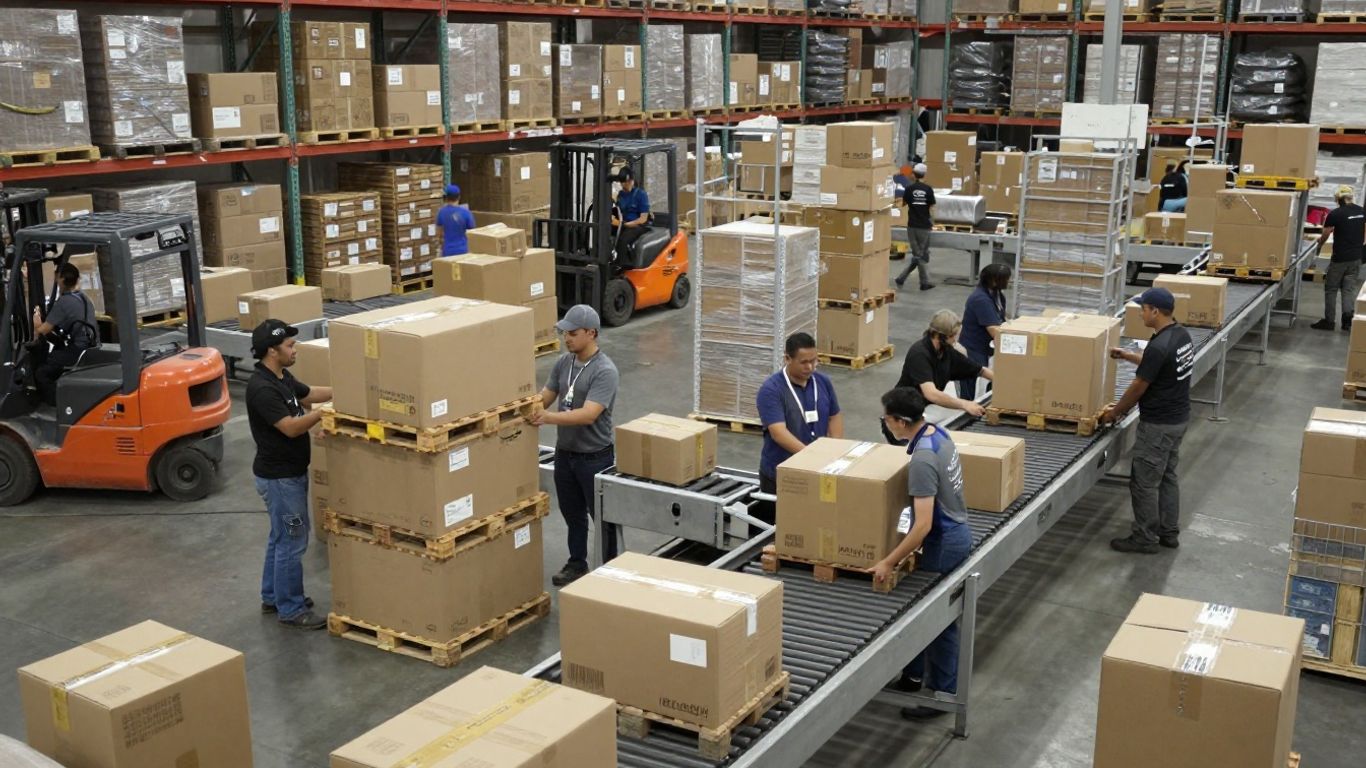
Getting your products from point A to point B efficiently is a big deal when you’re selling on Amazon. It’s not just about getting orders out the door; it’s about how much it costs, how happy your customers are, and what people think of your brand. You’ve got a couple of main ways to handle this, and picking the right one can really make a difference.
Understanding Fulfillment Options: FBA vs. FBM
When you start selling, you’ll need to decide how you’re going to get your products to customers. The two main paths are Fulfillment by Amazon (FBA) and Fulfillment by Merchant (FBM).
With FBA, you send your products to Amazon’s warehouses. They then take care of storing your items, packing them up when an order comes in, shipping them out, and even handling customer service and returns. This is a good option if you want to use Amazon’s massive logistics network and spend more time on other parts of your business, like finding new products or marketing. Products sent via FBA are eligible for Prime, which means faster delivery for customers and can lead to more sales. However, there are fees involved, like storage and fulfillment costs, and you need to keep a close eye on your inventory levels to avoid paying too much for storage or running out of stock.
On the other hand, FBM means you handle all of that yourself. You store the products, pack them, and ship them out. This gives you more control over the process and can sometimes be cheaper, especially if you have your own shipping arrangements. You get to pick your own shipping carriers. The downside is that you’re responsible for everything, including customer service and returns, which can take up a lot of time. Also, FBM products aren’t Prime-eligible, which might mean slower delivery times for your customers compared to FBA.
| Feature | Fulfillment by Amazon (FBA) | Fulfillment by Merchant (FBM) |
|---|---|---|
| Storage | Amazon warehouses | Your own warehouse or storage space |
| Packing & Shipping | Handled by Amazon | Handled by you |
| Customer Service | Handled by Amazon | Handled by you |
| Prime Eligibility | Yes | No |
| Control | Less control over fulfillment process | More control over fulfillment process |
| Fees | Fulfillment fees, storage fees (monthly, long-term) | Shipping costs, packaging costs, labor costs |
| Scalability | High scalability, leverages Amazon’s network | Scalability depends on your own resources |
Choosing between FBA and FBM isn’t a one-time decision. You can even use different methods for different products based on what makes the most sense for each item and your business at that moment. For example, fast-moving items might do well with FBA, while larger or slower-moving items could be managed more cost-effectively through FBM.
Optimizing Your Global Warehousing Network
As your business grows, especially if you’re selling internationally, thinking about where you store your inventory becomes really important. Instead of having stock spread out across multiple countries, which can tie up a lot of money and lead to stockouts in some places while others have too much, Amazon offers a Global Warehousing and Distribution system. This lets you keep your inventory in one main spot, and Amazon helps distribute it to different countries as needed. This can cut down on the amount of money you need tied up in inventory and improve product availability across markets. It also gives you better insights into what customers want in different regions.
Leveraging Freight Forwarding Services
When you’re moving products across international borders, freight forwarding services are key. These companies help manage the complex process of shipping goods overseas, dealing with customs, documentation, and transportation. They can help make sure your inventory gets to Amazon’s fulfillment centers or your own storage locations efficiently. Mastering freight forwarding is essential for keeping your supply chain moving smoothly and cost-effectively. This is especially true when you’re dealing with larger shipments or expanding into new international markets. You can find services that help with everything from air and ocean freight to customs brokerage, making the whole process less of a headache. This is a critical part of managing your Amazon inventory effectively.
Making the Most of Multi-Channel Fulfillment (MCF)
Did you know that your Amazon inventory can now be used to fulfill orders from other places, like your own website, Walmart, or eBay? That’s what Multi-Channel Fulfillment (MCF) is all about. It means you can manage one pool of inventory and use it to sell across different platforms. This can lead to increased sales, faster inventory turnover, and a lot less complexity in your operations. Plus, by having all your fulfillment data in one place, you get a clearer picture of which channels are most profitable and how your products are performing everywhere. It’s a smart way to get more out of the stock you already have.
Launching and Promoting Your Products
Alright, you’ve got your product, your listing looks sharp, and your inventory is ready to go. Now comes the exciting part: getting it in front of customers. This isn’t just about putting your product up for sale; it’s about making a splash and building momentum right from the start. A well-thought-out launch can set the stage for long-term success, while a rushed or unplanned one can leave you struggling to gain traction.
Developing Your 90-Day Launch Blueprint
Think of your first 90 days as a sprint. You need a clear plan, and frankly, just listing your product and hoping for the best isn’t a plan. A solid blueprint breaks down the critical activities needed to get your product noticed and start generating sales. It’s about being proactive, not reactive.
Here’s a look at what that might entail:
- Weeks 1-2: Initial Exposure & Learning: Focus on getting those first few sales and gathering initial data. Your goal is to understand how customers are finding you and what they think. Aim for 5-10 sales daily and try to get 2-3 genuine reviews.
- Weeks 3-4: Conversion Optimization: Now that you have some data, start tweaking. Look at your listing’s conversion rate and your ad performance. The goal is to make more of the traffic you’re getting turn into sales. Aim for 25-50 sales daily with an Advertising Cost of Sale (ACoS) under 35%.
- Weeks 5-8: Scaling Advertising: If your ads are performing well, it’s time to carefully increase your budget. You want to capture more of the market without sacrificing profitability. Aim for 100-200 sales daily and consistent daily profits.
- Weeks 9-12: Growth & Planning: With a steady sales flow, you can start thinking bigger. This is the time to analyze what worked best and plan for future products or inventory increases. Aim for 300+ sales daily and accumulate over 40 reviews.
This structured approach helps you avoid common pitfalls like running out of stock too early or wasting money on ineffective advertising. It’s about making informed decisions based on real performance data.
Utilizing Amazon Advertising Tools
Amazon’s advertising platform is your primary tool for driving visibility. It’s not just about running ads; it’s about running smart ads. You’ll want to use a mix of campaign types to cover different stages of the customer journey.
- Sponsored Products: These are your workhorses. Start with an automatic campaign to discover keywords customers are actually using. Then, create manual campaigns targeting your best keywords with exact match types. Keep an eye on search terms in your automatic campaigns and add underperforming ones as negative keywords to avoid wasted spend.
- Sponsored Brands: These are great for building brand awareness and showcasing multiple products. They appear at the top of search results, giving you prime real estate.
- Sponsored Display: These ads can target shoppers both on and off Amazon, based on their interests or past behavior. They’re useful for reaching new audiences or remarketing to people who have shown interest in your products.
Start with a modest daily budget, like $20, for your initial automatic campaigns to gather data without breaking the bank. Monitor your ACoS closely, especially in the first week, and be ready to adjust bids based on performance. It’s a constant process of testing and refining.
Expanding Marketing Efforts Beyond Amazon
Don’t put all your eggs in the Amazon basket. Driving external traffic to your Amazon listings can significantly boost your sales and improve your product’s ranking. Think of it as building a wider net for customers.
- Social Media: Engage with potential customers on platforms where they hang out. Share your brand story, run contests, and offer exclusive discounts to your followers. Direct them to your Amazon listing with clear calls to action.
- Email Marketing: If you have a website or collect emails through other means, build an email list. Send out newsletters announcing new products, promotions, or sharing helpful content related to your niche. Offer a small discount for first-time Amazon buyers from your email list.
- Influencer Marketing: Partner with micro-influencers in your product category. Their followers often have a high level of trust, and a genuine recommendation can drive targeted traffic and sales.
Remember, the goal is to create multiple touchpoints for customers to discover and purchase your product. By combining Amazon’s internal advertising with external marketing strategies, you create a powerful ecosystem that drives sustained growth.
Data-Driven Optimization for Growth
Selling on Amazon isn’t just about getting your product listed and hoping for the best. To really grow, you’ve got to pay attention to the numbers. It’s about looking at what’s working and what’s not, then making smart changes. This means digging into your sales data, customer feedback, and advertising performance.
Leveraging Customer Feedback for Product Roadmaps
Customer reviews and questions are goldmines of information. They tell you what people love about your product, what they’re confused about, and what features they wish you had. Don’t just read them; organize them. Look for recurring themes. Are multiple people asking for a specific color? Is there a common complaint about the packaging? This feedback can directly shape your next product iteration or even inspire entirely new products. It’s a way to build what your customers actually want, reducing the risk of creating something nobody buys.
- Identify common pain points: What issues do customers repeatedly mention?
- Note feature requests: What improvements or additions are frequently suggested?
- Analyze positive feedback: What aspects of your product are customers raving about? Use this to reinforce your marketing.
Acting on customer feedback shows you’re listening and committed to improvement. This builds trust and loyalty, which are hard to buy.
Using Data to Drive Pricing and Advertising Decisions
Your pricing and advertising strategies shouldn’t be guesswork. Amazon provides a lot of data to help you make informed choices. For pricing, look at your conversion rates at different price points. If a small price increase causes a big drop in sales, you might be priced too high. Conversely, if you have room to increase prices without losing sales, you’re leaving money on the table. For advertising, track your ACoS (Advertising Cost of Sale) and ROAS (Return on Ad Spend) closely. Understanding which keywords and campaigns are most profitable is key to scaling effectively. You might find that certain times of day or specific customer segments convert better, allowing you to adjust your ad spend for maximum impact. For instance, analyzing hourly sales patterns might reveal that 40% of your daily sales happen between 8-10 PM. Shifting ad schedules to match this behavior could cut ad spend while keeping sales steady. You can also use tools to analyze your profitability by product.
Setting Realistic Performance Goals
Without goals, you can’t measure success. Start by looking at your current performance and setting achievable targets. These goals should be specific and measurable. Instead of aiming to "increase sales," aim to "increase daily sales by 15% within the next quarter" or "reduce ACoS on top-performing campaigns by 5% in the next 30 days." Break down larger goals into smaller, manageable steps. This makes the process less daunting and allows you to celebrate small wins along the way. Regularly review your progress against these goals and adjust your strategies as needed. It’s an ongoing process, not a one-time fix.
Launch Timeline and Performance Expectations
| Week Range | Revenue Target | Primary Focus | Success Metrics |
|---|---|---|---|
| Weeks 1-2 | 5-10 daily sales | Platform learning and optimization | 2-3 authentic reviews |
| Weeks 3-4 | 25-50 daily sales | Conversion optimization | ACoS under 35% |
| Weeks 5-8 | 100-200 daily sales | Advertising scale and efficiency | Consistent daily profitability |
| Weeks 9-12 | 300+ daily sales | Product line expansion planning | 40+ total reviews |
Want to make your business grow faster? We use smart data to find the best ways to boost your success. Let us help you figure out what works best for your company. Visit our website today to learn more!
Wrapping It Up: Your Amazon Journey Ahead
So, you’ve made it through the guide. Selling on Amazon in 2026 is definitely doable, but it’s not exactly a walk in the park. It takes work, paying attention to the details, and not being afraid to try things out. Remember, sticking to the plan, watching your numbers, and listening to what customers say are the big things that make a difference. Don’t get stuck just thinking about it; start doing. The sooner you take that first step, the sooner you can start building something real. Good luck out there!
Frequently Asked Questions
What’s the difference between the two Amazon selling plans?
Amazon offers two main ways to sell: the Individual plan, where you pay a small fee for each item sold, and the Professional plan, which has a monthly fee but lets you sell as many items as you want without extra per-item charges. For most people starting out, the Professional plan is usually the better deal if you plan to sell more than a few items.
How do I find products that will sell well on Amazon?
Finding good products involves looking at what people are already buying and searching for. You can use tools to see what’s popular, check how many reviews competitors have, and figure out if you can offer something better or different. It’s about finding a balance between what customers want and what you can supply well.
What does ‘FBA’ mean, and should I use it?
FBA stands for Fulfillment by Amazon. When you use FBA, you send your products to Amazon’s warehouses, and they handle storing, packing, and shipping orders to customers. It’s super convenient and often makes your products eligible for Prime shipping, but it does have fees. The other option, FBM (Fulfillment by Merchant), means you handle all of that yourself.
How important is product photography?
Product photos are extremely important! Since customers can’t touch or see your product in person, great pictures are your best salesperson. Clear, high-quality images that show the product from different angles and in use can make a huge difference in whether someone buys or not.
How can I get people to see my products on Amazon?
Getting noticed involves a few things. You need to make your product listing as good as possible so Amazon’s search can find it. Using Amazon’s advertising tools, like sponsored ads, can also help put your products in front of shoppers. Plus, sharing your Amazon store on social media can bring in extra customers.
What’s the best way to handle customer reviews?
Customer reviews are gold! You should definitely pay attention to what people are saying, both good and bad. Positive reviews are great social proof, and negative ones can tell you exactly how to improve your product or listing for future customers. Responding professionally to all reviews is also a good idea.